




How to connect to the Hostaway API on Stay Luxe

This guide explains how to connect your Hostaway account to StayLuxe using the Hostaway Public API. Once connected, StayLuxe can synchronise your rates, bookings, availability, guest details and payment status according to the selected sync rules.
Before starting, make sure you have administrator access to your Hostaway account. Your API key is private and will only be displayed once, so copy it carefully and store it securely.
Security notice: Your Hostaway API key is private and is only displayed once. Copy it when it is created, store it securely and enter it only into your StayLuxe account. If a key is exposed or lost, revoke it in Hostaway and generate a new one.
Create Your Hostaway API Credentials
1 Sign in to Hostaway. Open Settings, select Hostaway API, then select Create.
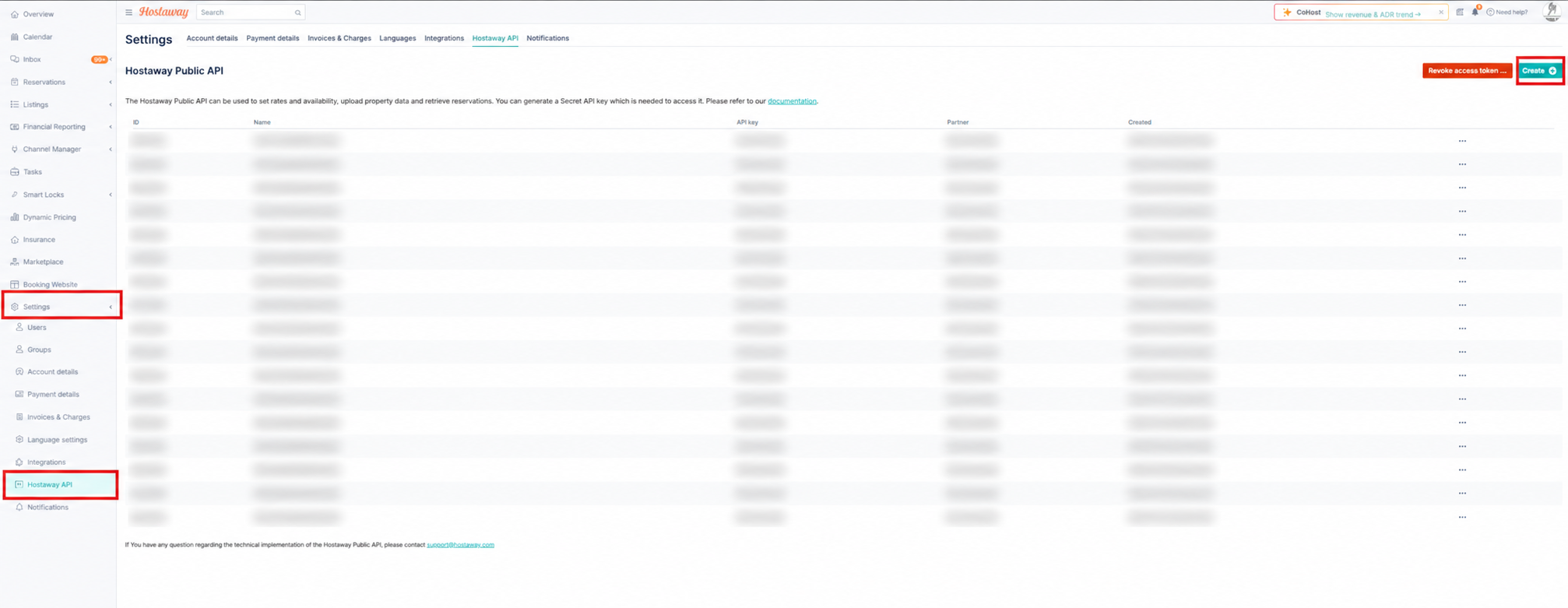
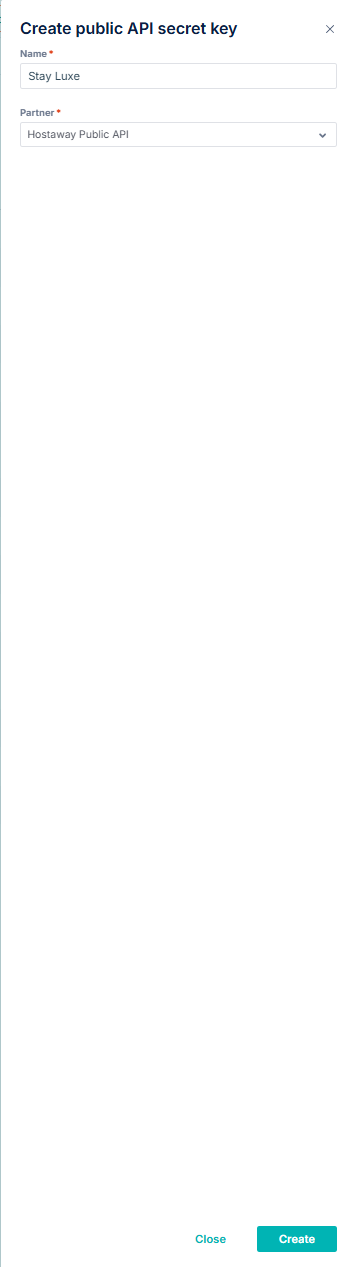
2 Enter StayLuxe as the name, select Hostaway Public API as the partner, then select Create.
3 Copy both the Account ID and API key. Keep this screen open until both values have been entered into StayLuxe.
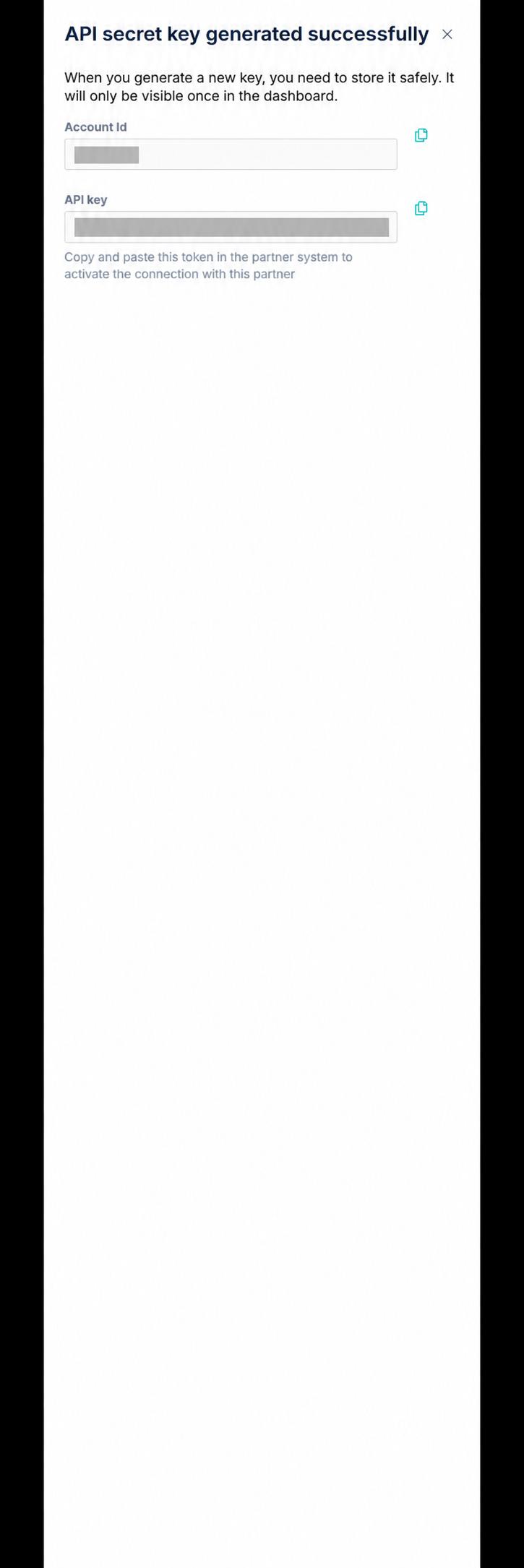
Hostaway displays the API key only once. Never include your real Account ID or API key in screenshots, emails or support articles.
Connect Hostaway to StayLuxe
4 Sign in to your StayLuxe host account, select My Account, then open the PMS Integration tab.
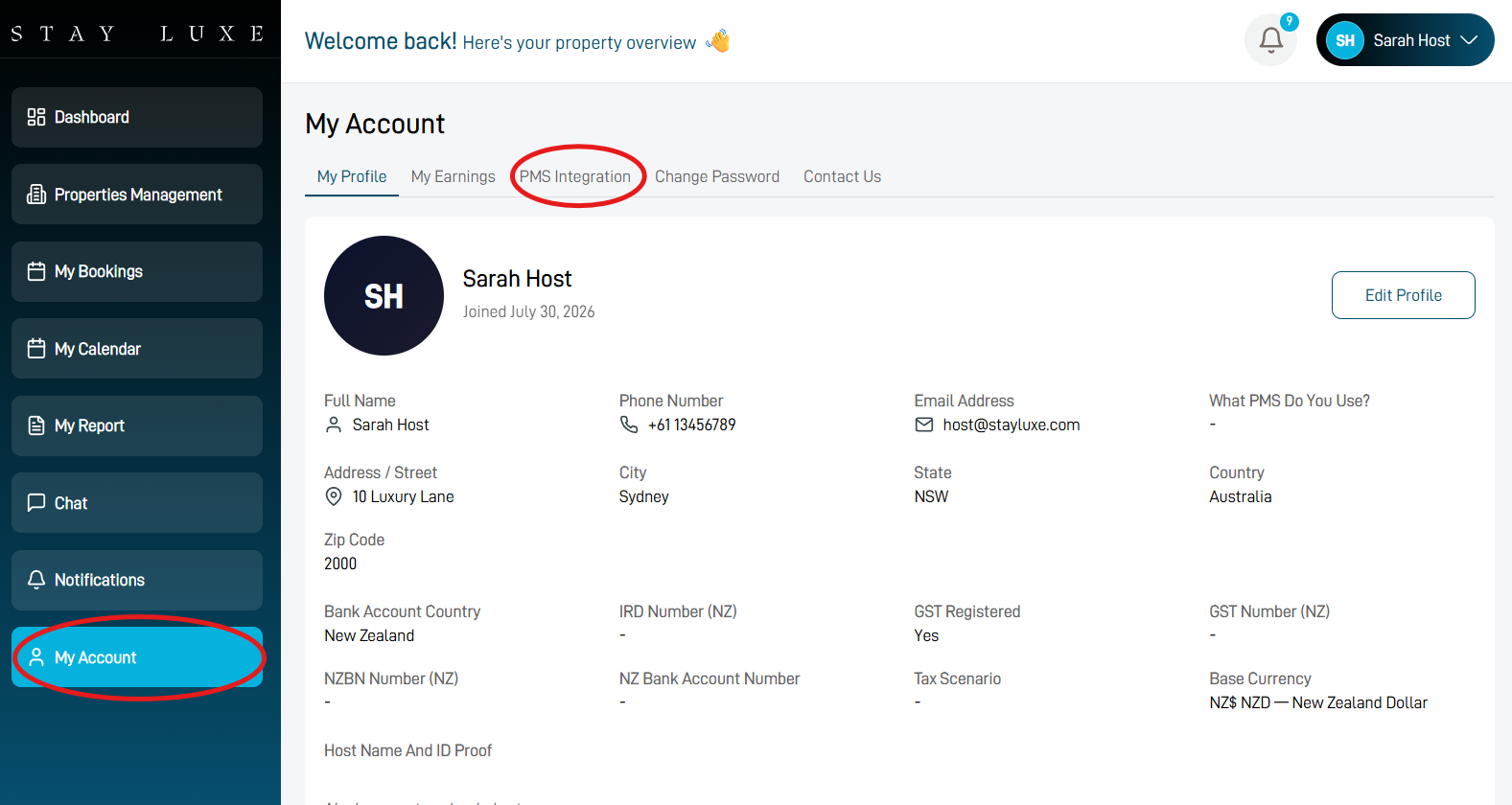
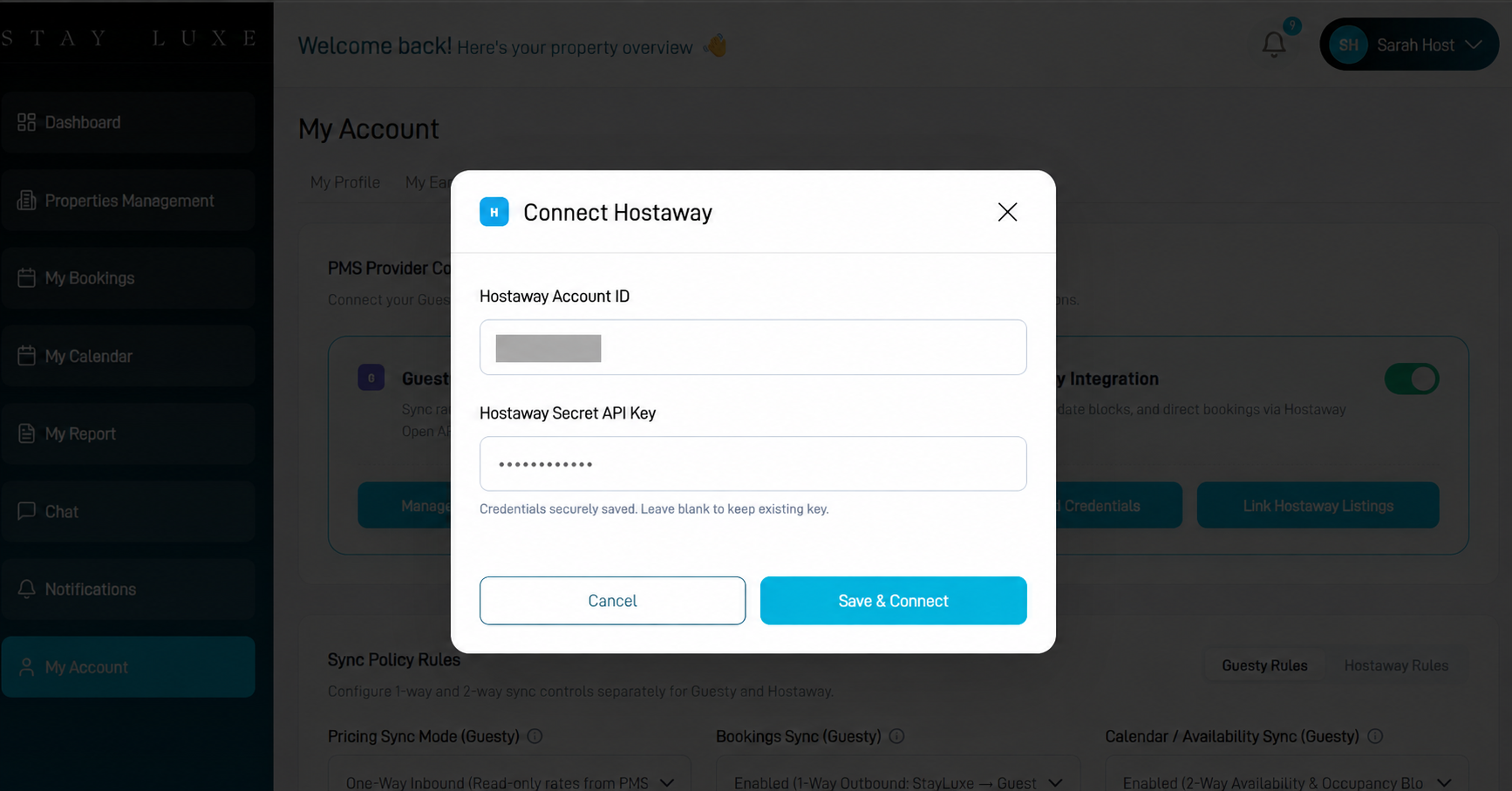
5 In the Hostaway Integration section, turn on the connection if required and select Manage API Credentials.
6 Paste the Hostaway Account ID and Secret API Key into the matching fields, then select Save & Connect.
Configure the Hostaway Sync Rules
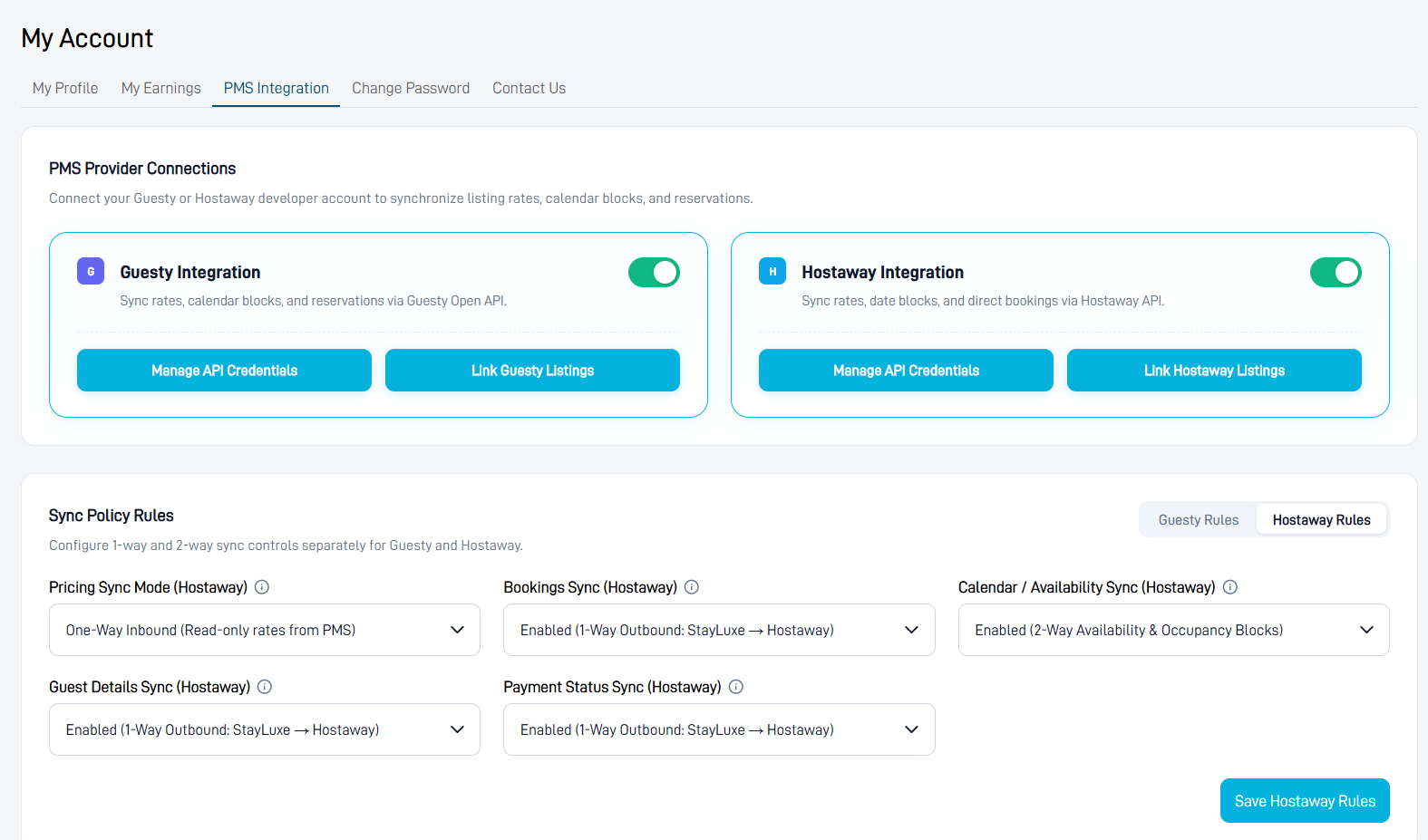
7 Open Hostaway Rules under Sync Policy Rules and select the following settings:
- Pricing Sync Mode: One-Way Inbound — read-only rates from Hostaway to StayLuxe.
- Bookings Sync: One-Way Outbound — StayLuxe to Hostaway.
- Calendar / Availability Sync: Two-Way Availability & Occupancy Blocks.
- Guest Details Sync: One-Way Outbound — StayLuxe to Hostaway.
- Payment Status Sync: One-Way Outbound — StayLuxe to Hostaway.
Select Save Hostaway Rules after confirming all five settings.
Connect Your Hostaway Listing
8 Select Link Hostaway Listings, then choose the Hostaway listing you want to connect to StayLuxe.
Your Hostaway API is now connected to StayLuxe and will operate according to the saved Hostaway sync rules.