




Can I change my price for specific days?

Yes. You can set a different nightly price for specific dates in your StayLuxe host calendar. This is useful for weekends, public holidays, local events and peak seasons.
Your updated price will apply to new bookings for the selected dates. It will not change the price of bookings that have already been confirmed.
Follow the instructions below to update your prices.
1 Go to the StayLuxe host dashboard.
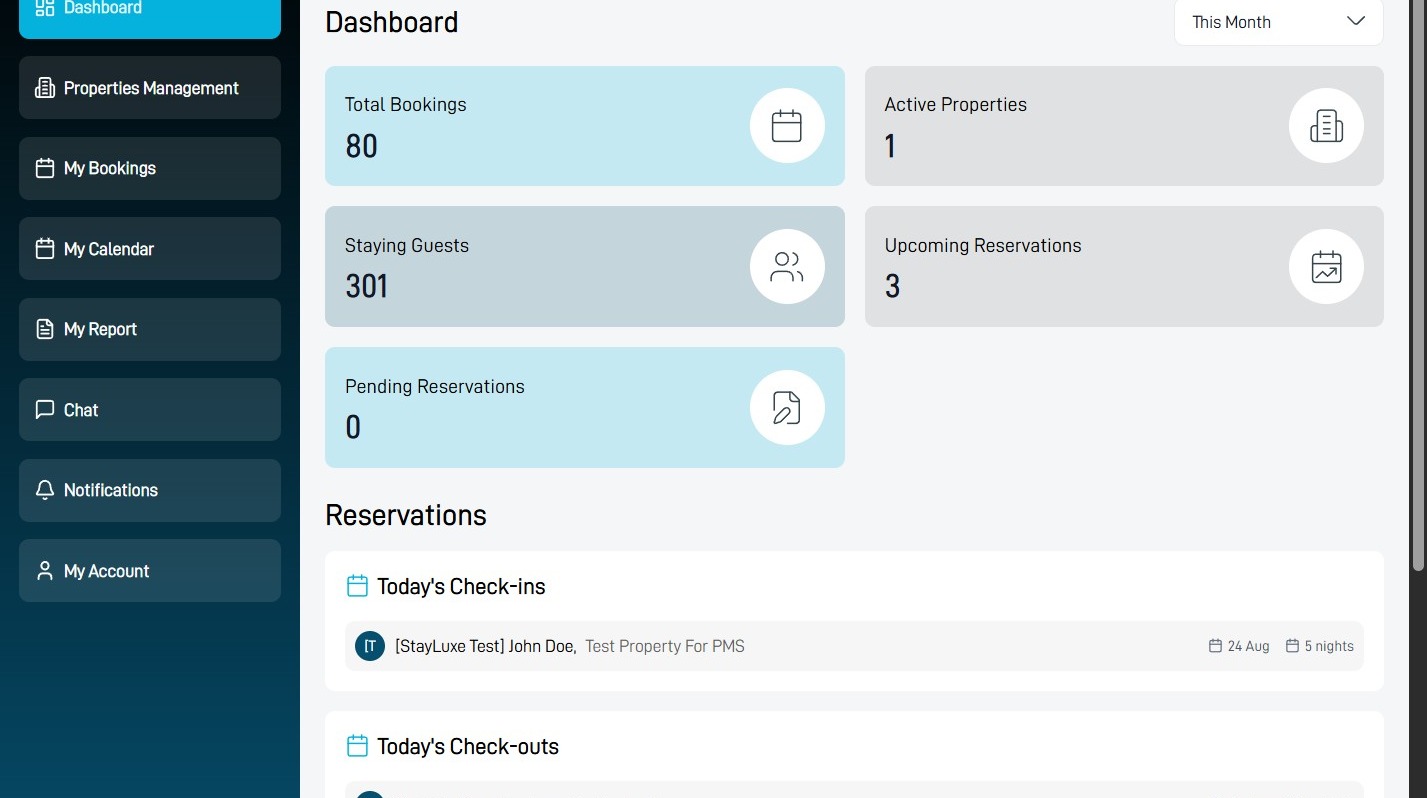
Property Management
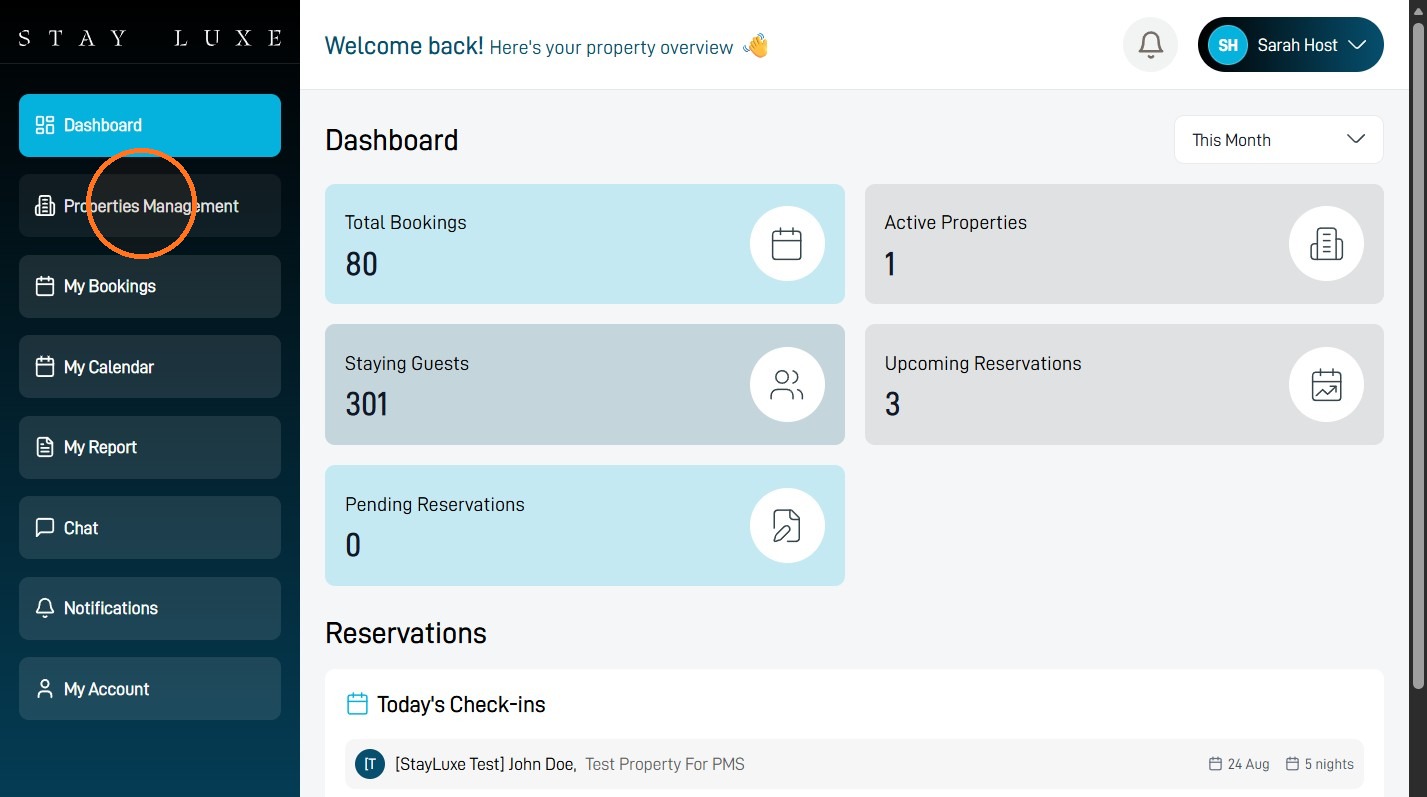
2 Select Properties Management.
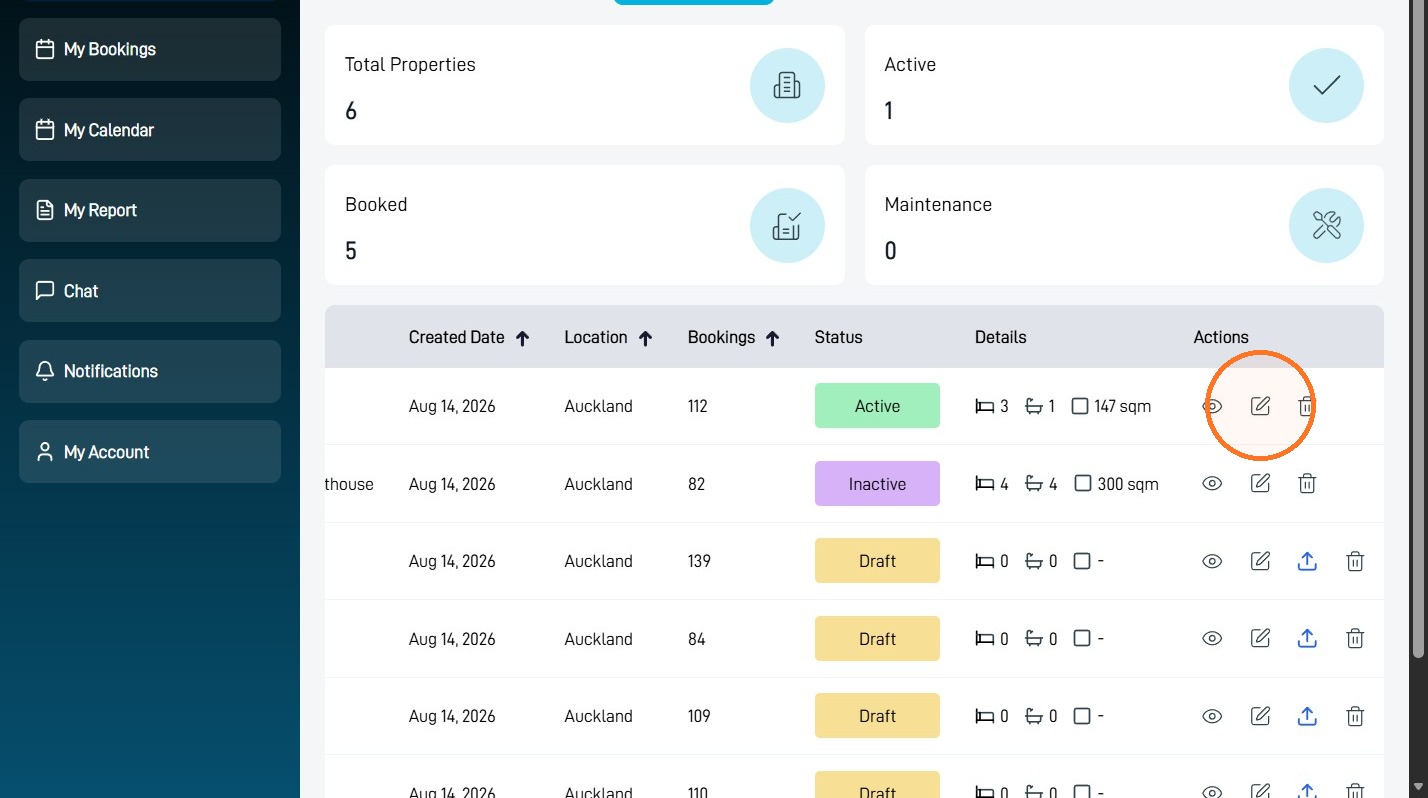
3 Select the edit icon beside the property where you want to add a custom rate.
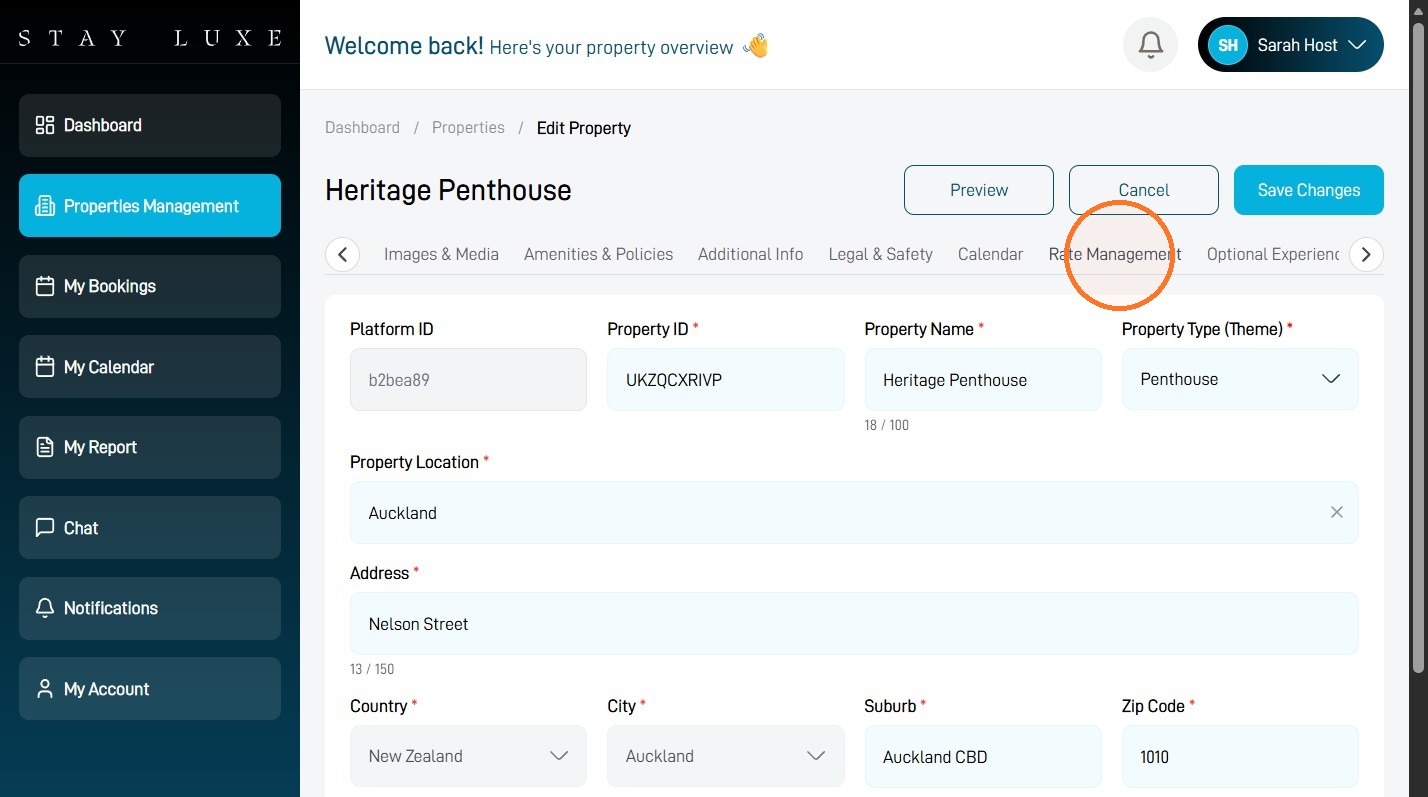
Rate Configuration
4 Select Rate Management.
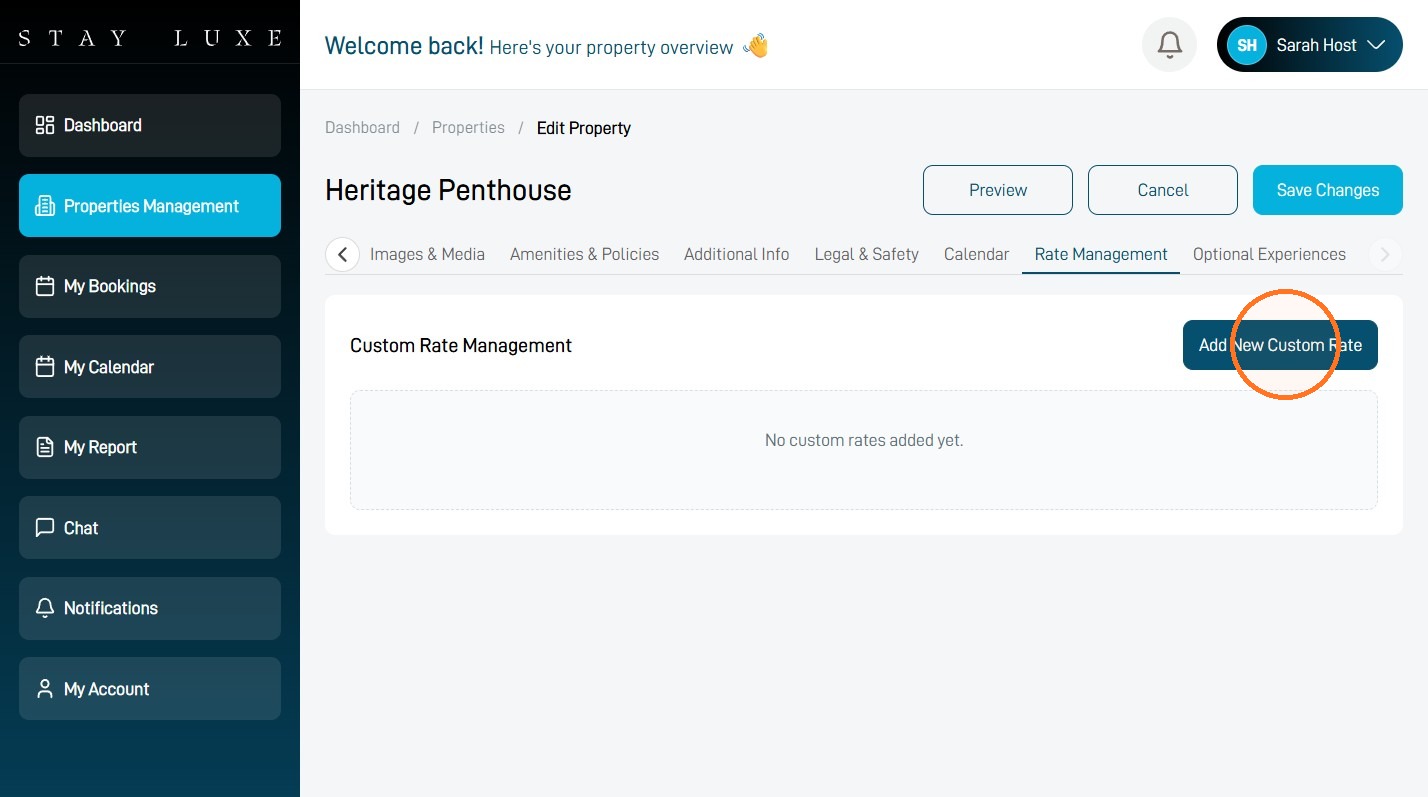
5 Select Add New Custom Rate.
Custom Rate Details
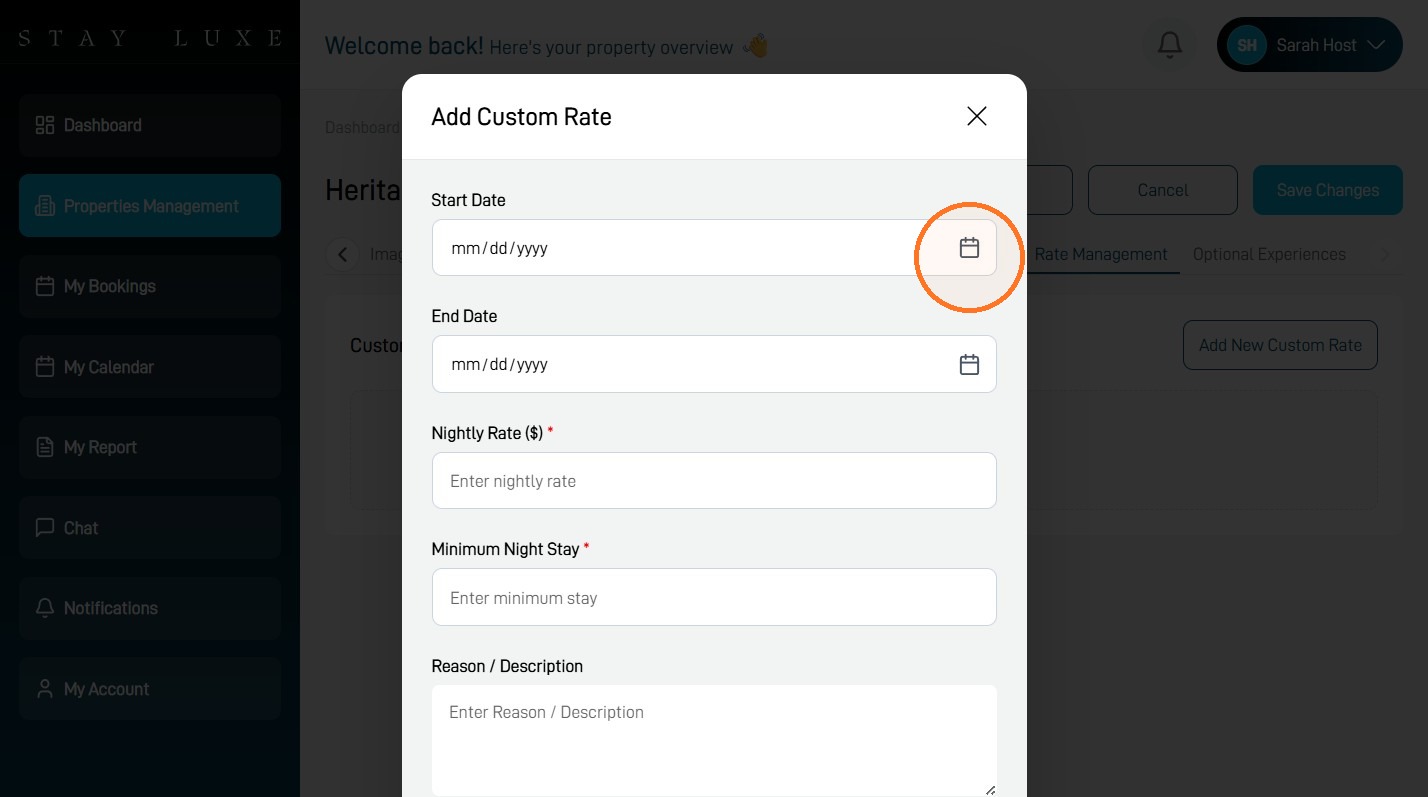
6 Select the Start Date field and choose the first date for the custom rate.
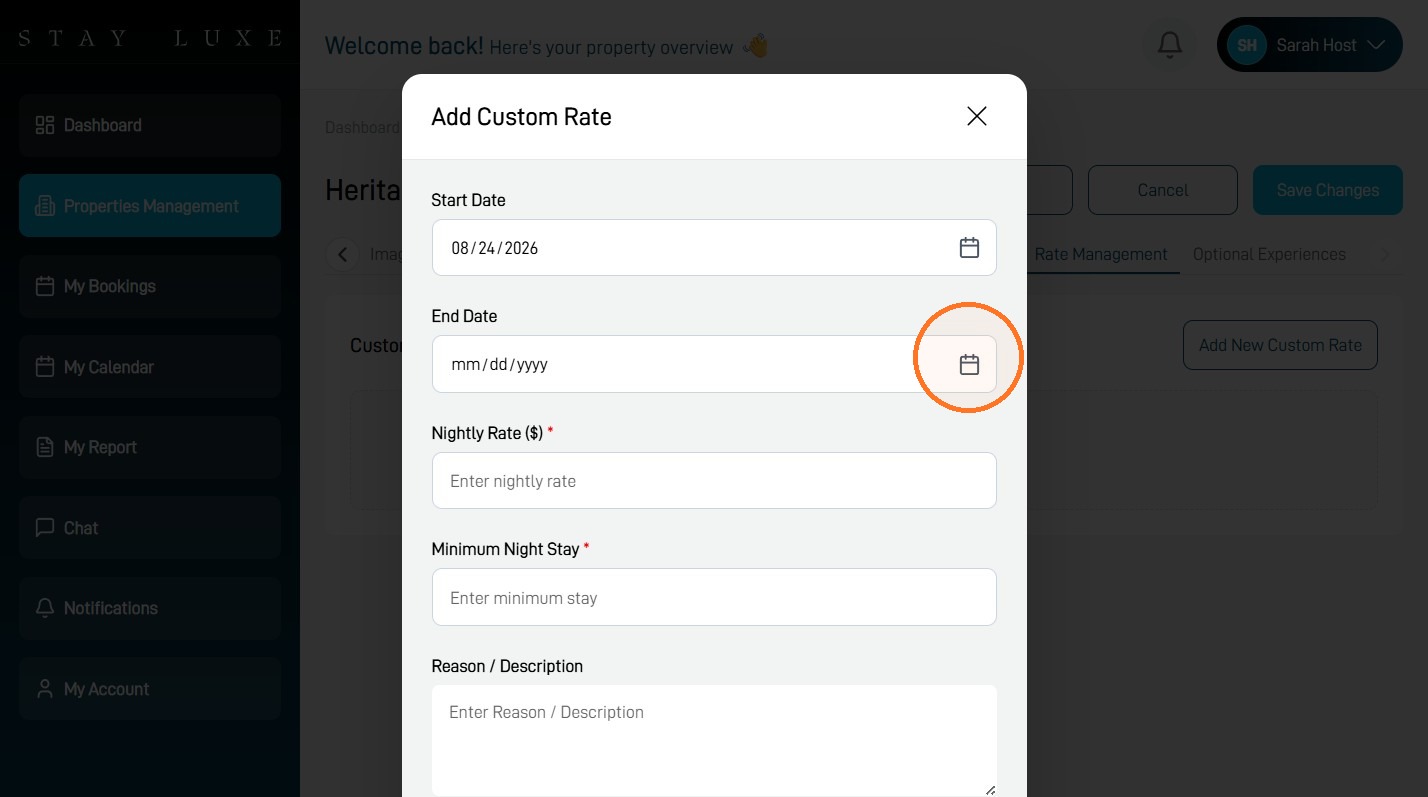
7 Select the End Date field and choose the last date for the custom rate.
8 Select the Nightly Rate ($) field.
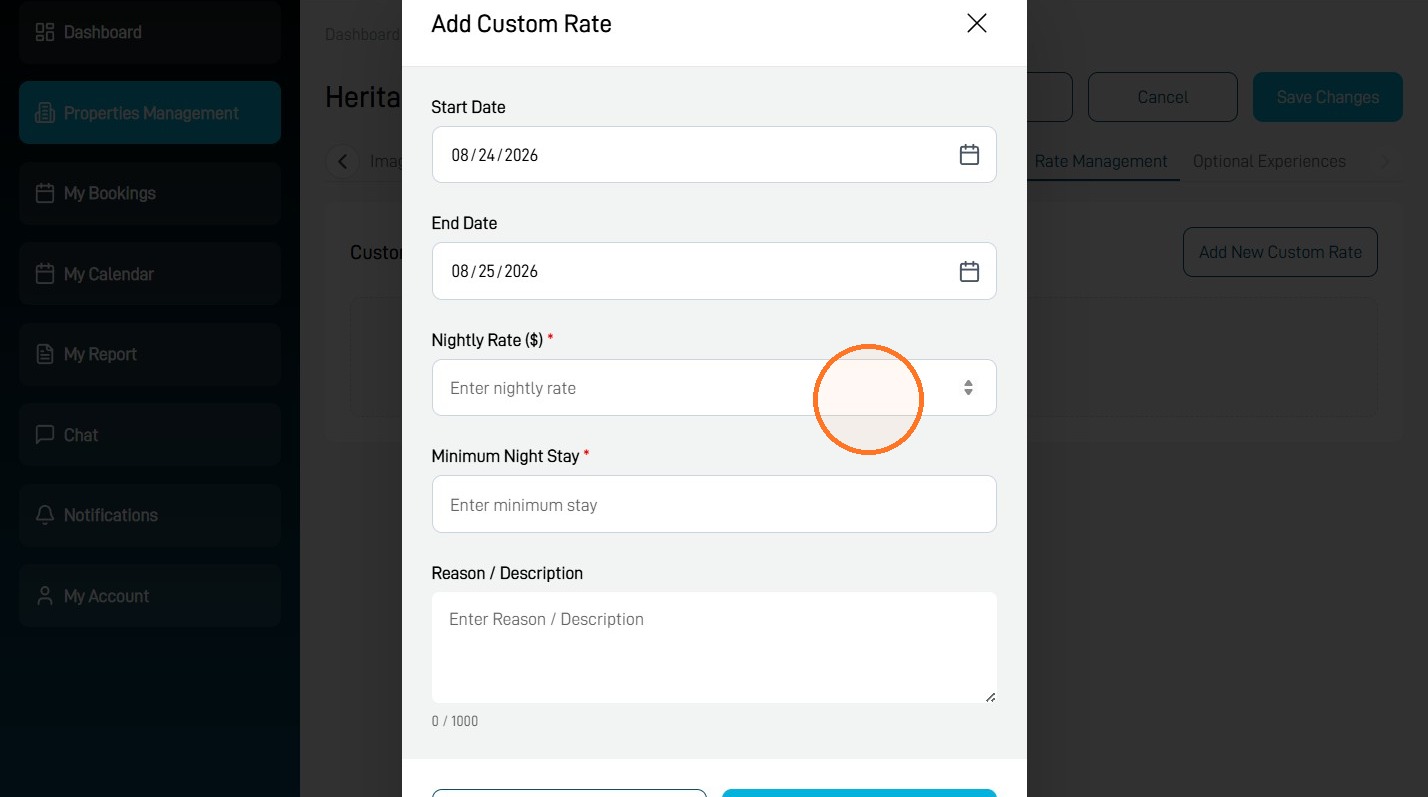
9 Enter your desired nightly rate, set the minimum stay and add a reason or description.
The custom minimum stay can override your property’s standard minimum stay, but it cannot override the property’s maximum-stay limit.
10 Select Add Rate to save the custom pricing.
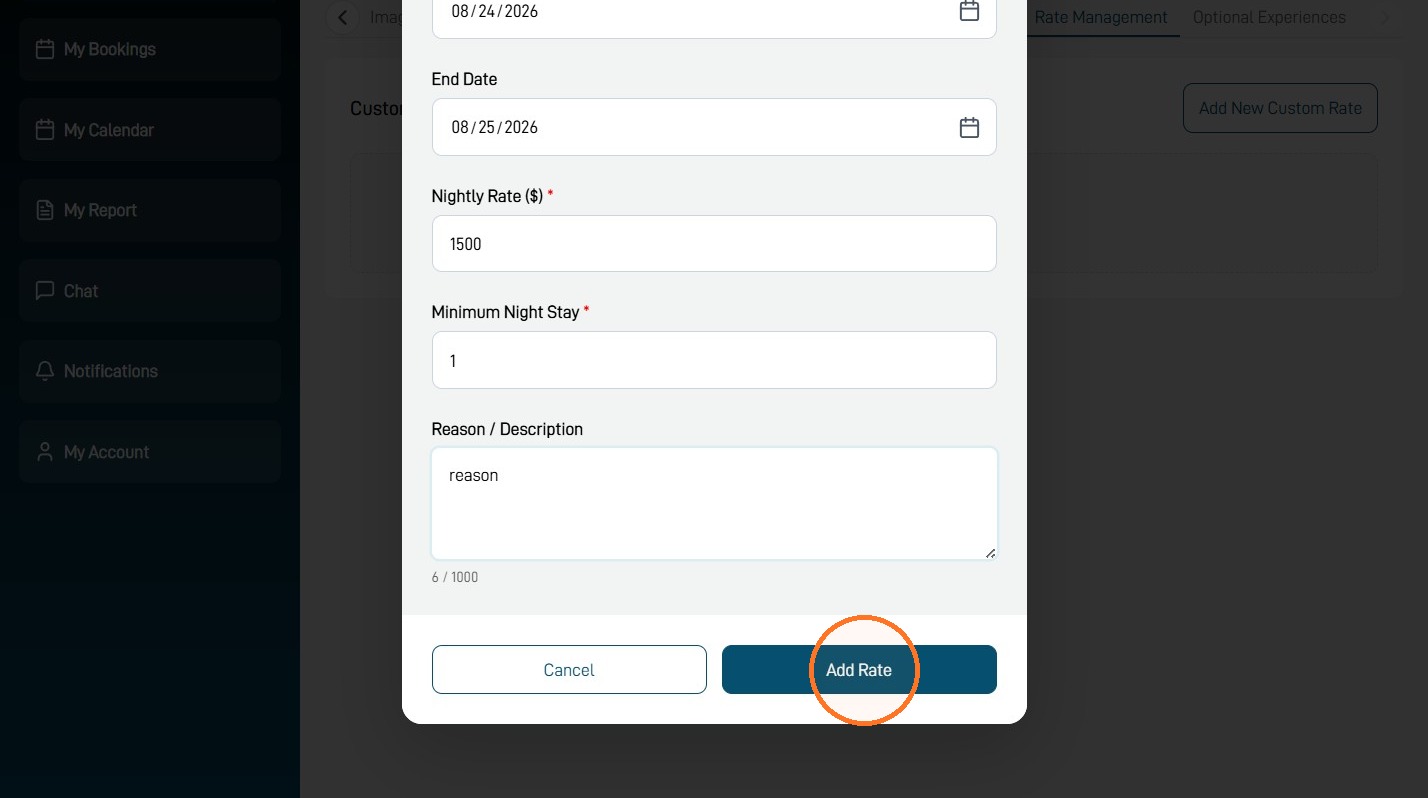
Your custom rate will apply to the selected date range after it has been saved.