




How do I accept a booking request?

When you receive a booking request, review the dates, guest details and booking information before accepting it. You must accept or decline the request within 48 hours.
Once accepted, the guest’s payment will be processed and the booking will be confirmed. Make sure your property is available, as you will be expected to honour the confirmed reservation.
Follow the instructions below to accept a booking request:
How to Approve a Guest Booking
Follow these steps to review and respond to an incoming booking request through your StayLuxe host dashboard. Please approve or reject each request within 48 hours.
1 Go to the StayLuxe host dashboard.
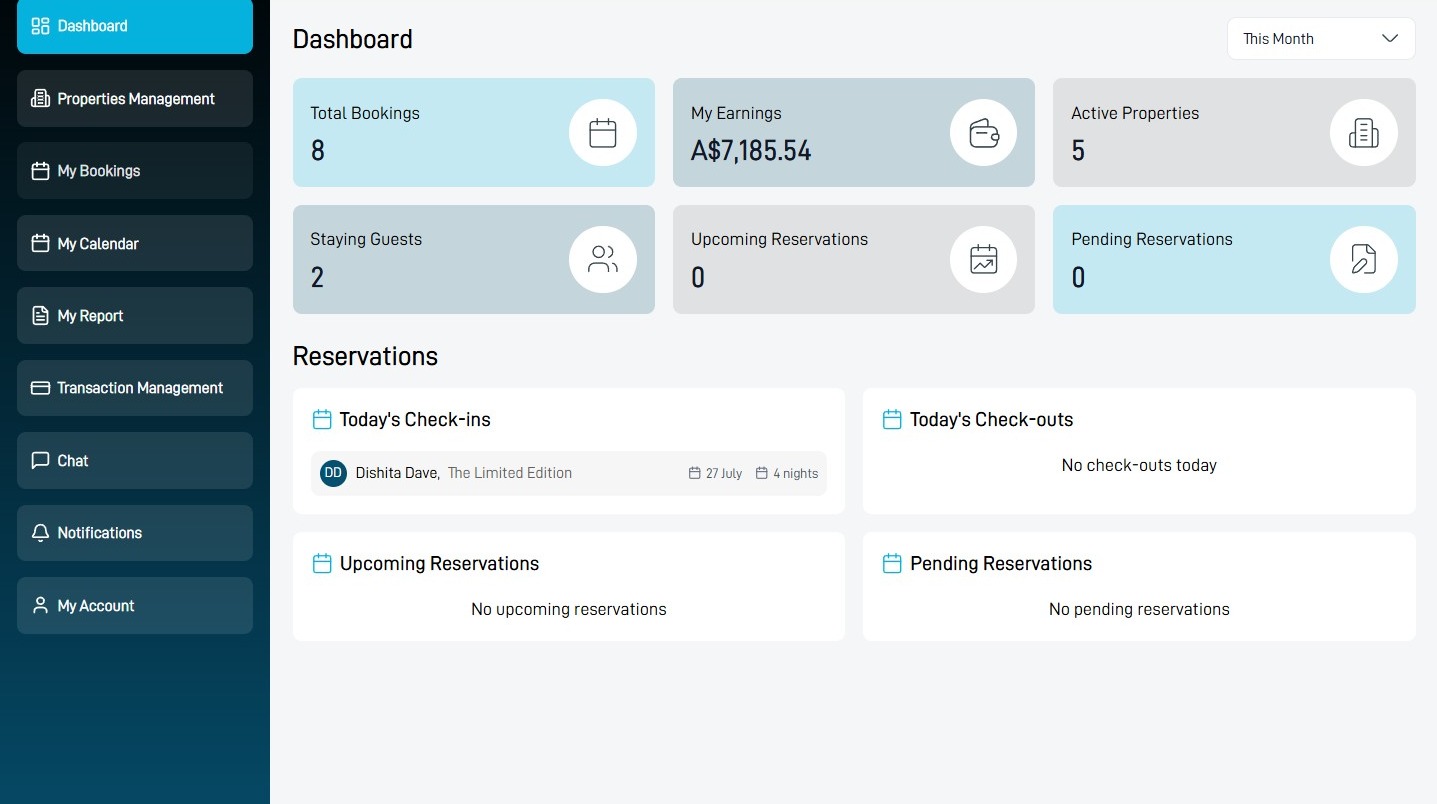
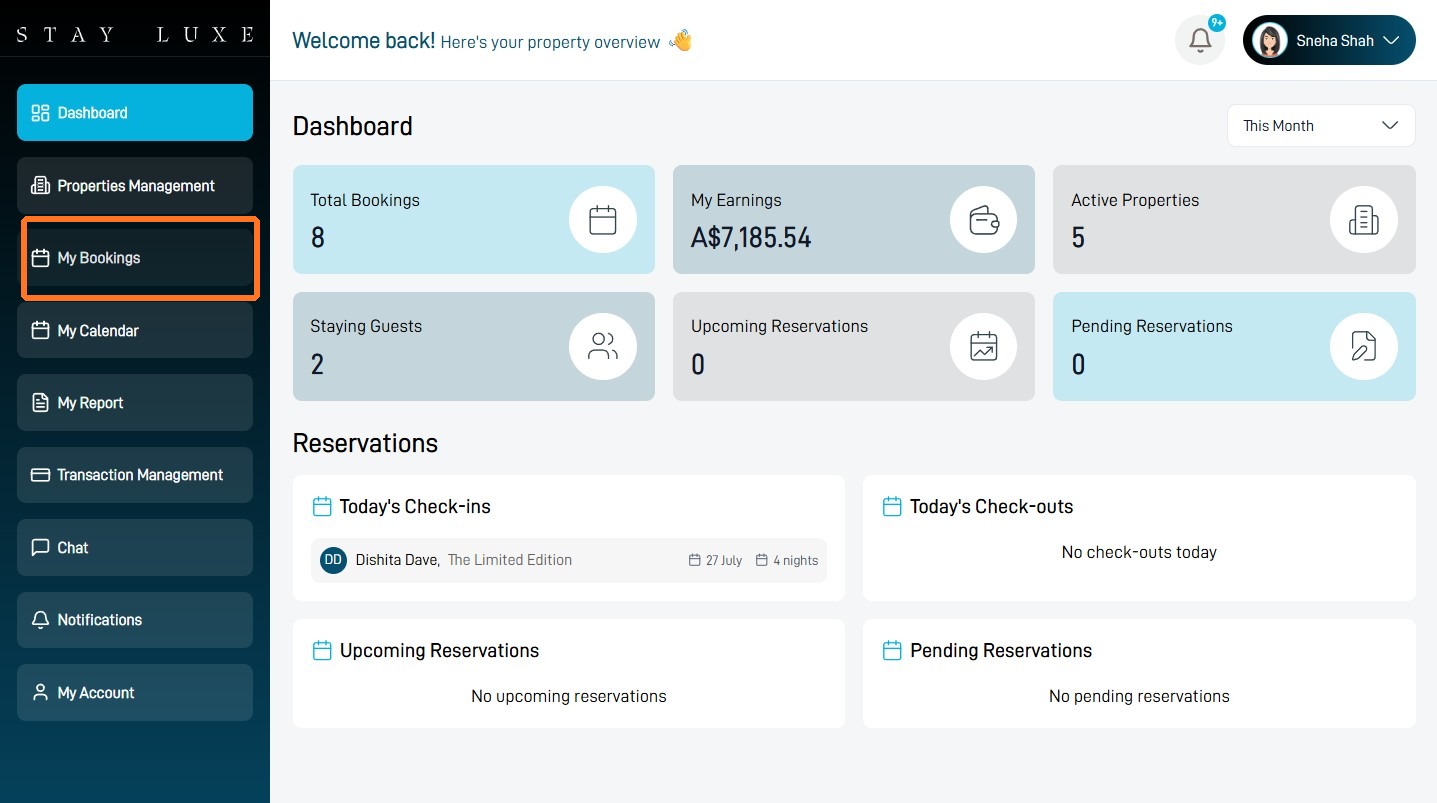
2 Select My Bookings from the left sidebar.
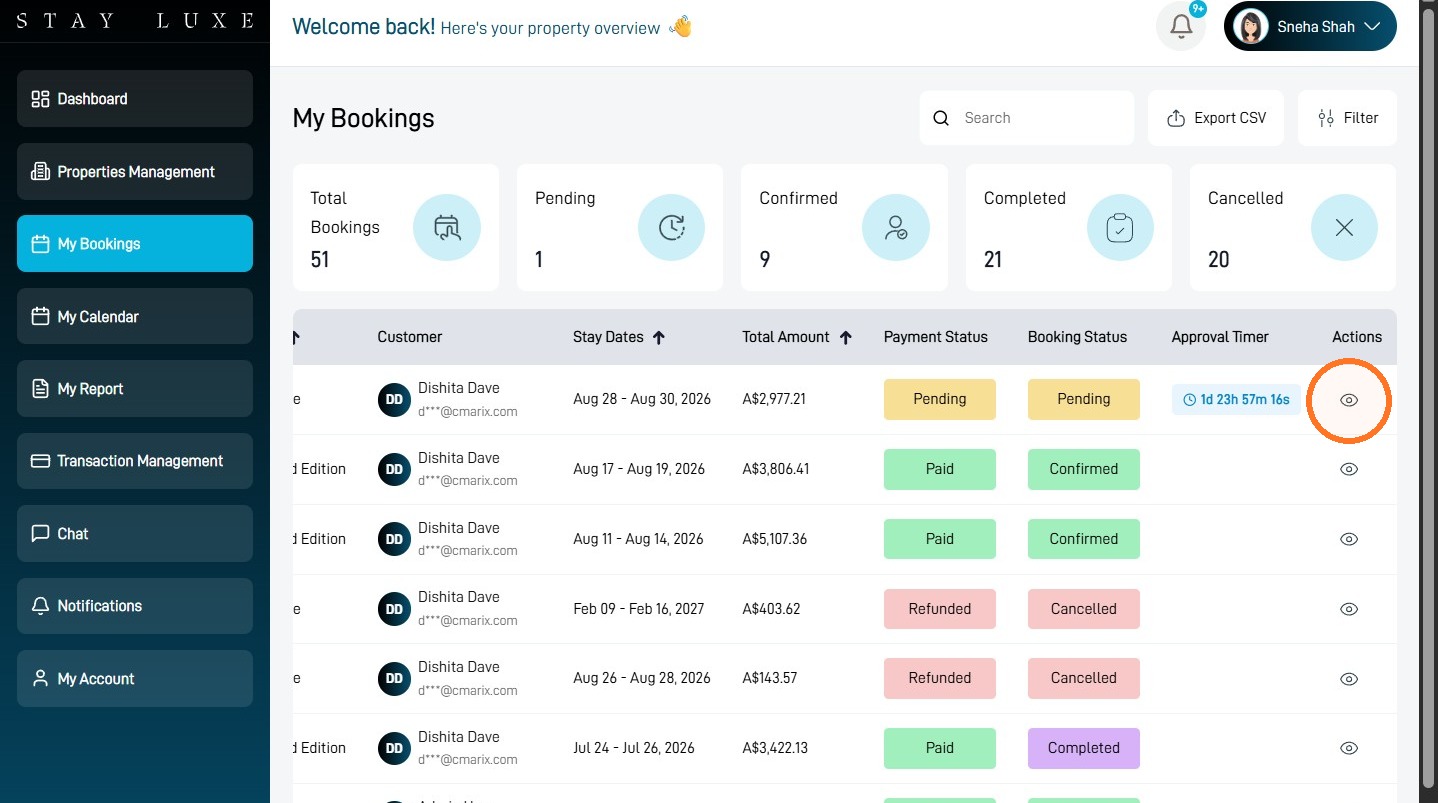
3 Select the eye icon beside the pending booking you want to review.
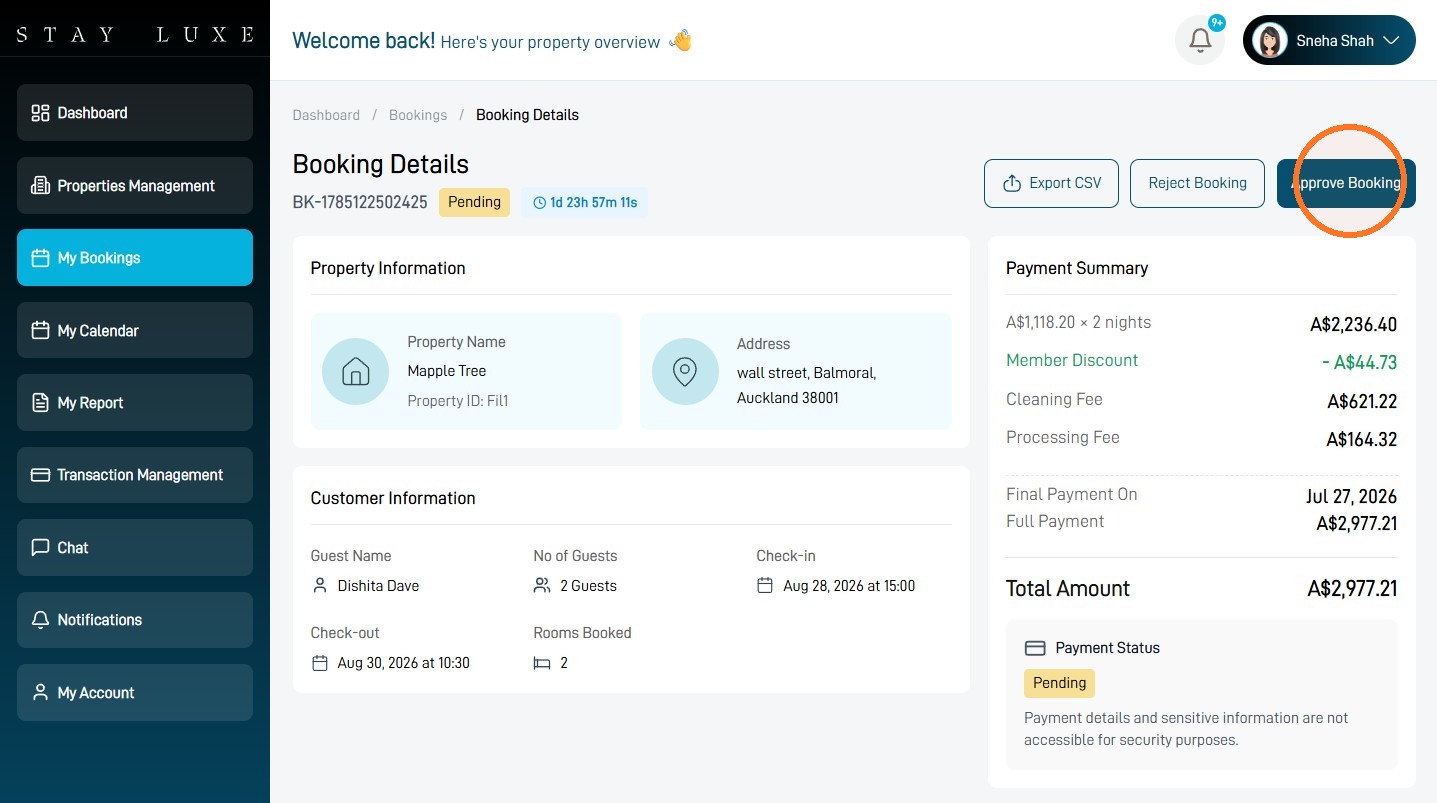
4 Select Approve Booking.
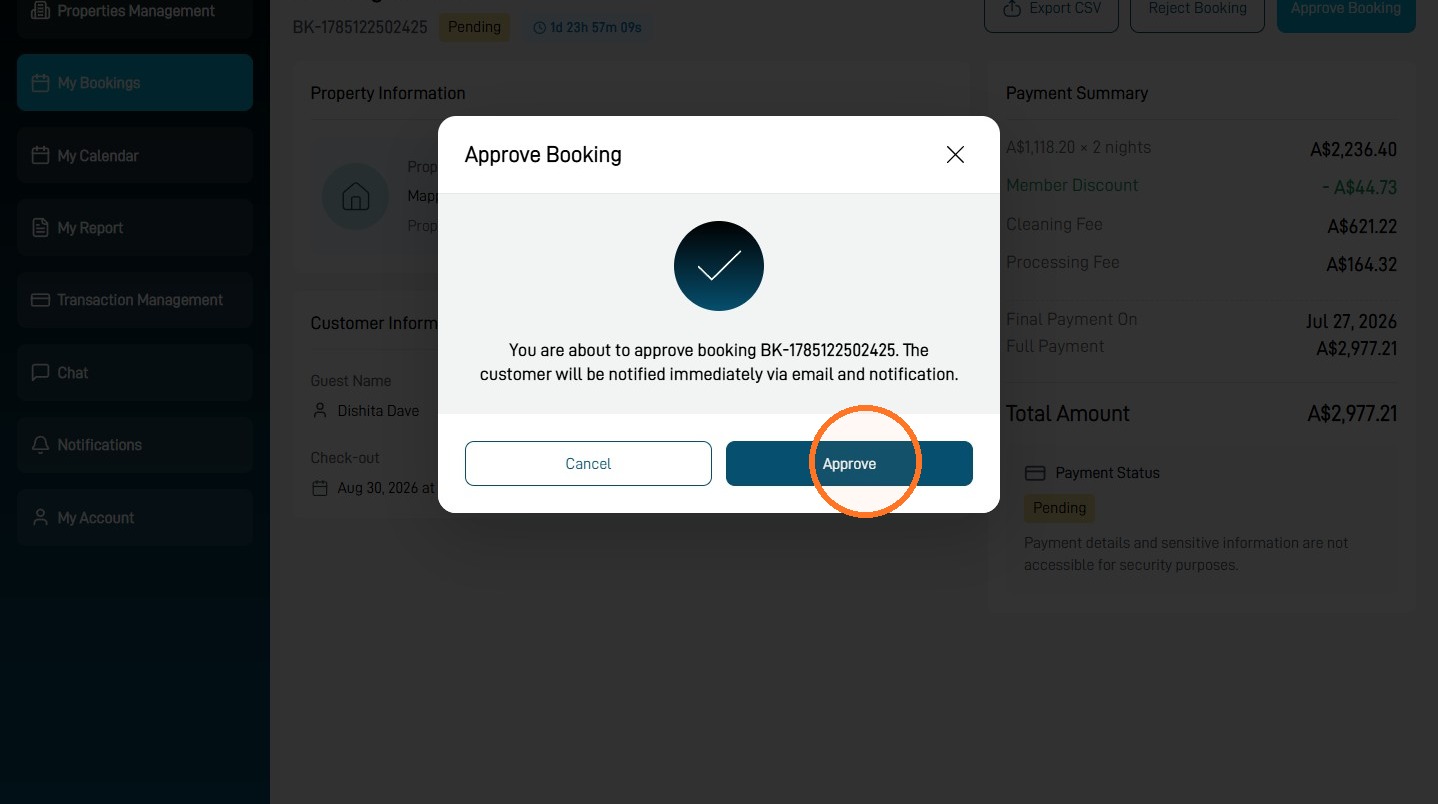
5 Select Approve to confirm your decision.
6 If you cannot accept the request, select Reject Booking instead.
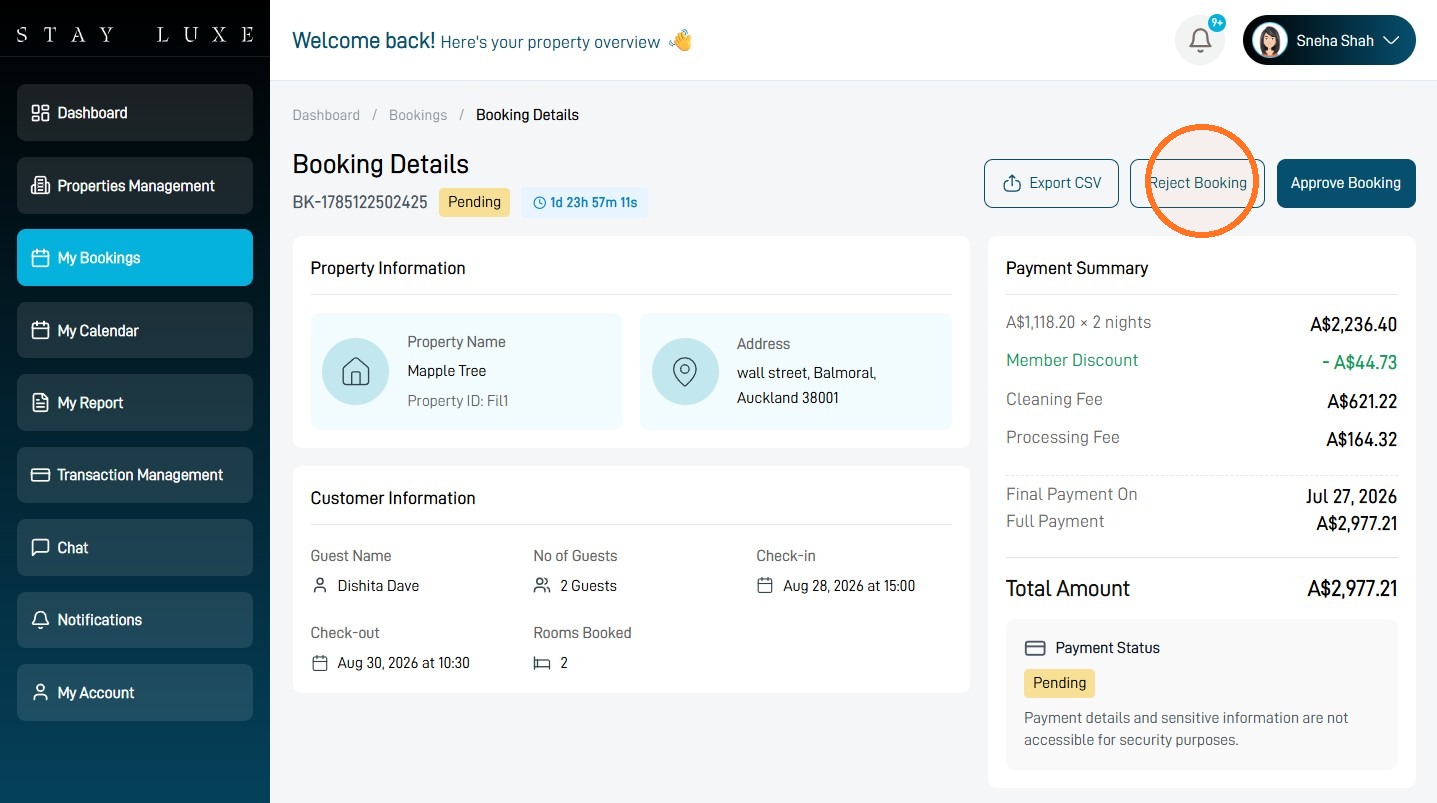
7 Enter the reason you cannot accept the booking, then confirm the rejection.
The booking status will update after you approve or reject the request.