




Choosing the right cancellation policy

How the right policy helps you win more bookings
Your cancellation policy is one of the first things a guest checks before they book. A more flexible policy gives guests the confidence to book sooner, while a stricter policy protects more of your revenue if plans change. Choosing the right balance for each property helps you attract more bookings without giving up more than you need to.
Why flexibility can drive more bookings
Guests often prefer the reassurance that they can cancel if their plans change, so listings with a free cancellation window tend to convert more views into bookings. Flexibility can also encourage guests to book further ahead and for longer stays, because there is less risk to them. A stricter policy, on the other hand, gives you more protection and a larger kept payment when a guest cancels. Many hosts use flexible policies to fill quieter dates and stricter policies for peak periods or high-value stays.
The three policy types
Stay Luxe policies come in three families. Within each family you choose a timing window (7, 14, 30, or 60 days before check-in) that sets how far ahead a guest must cancel to qualify for a refund.
- Flexible: full refund up to the cutoff, then no refund. The most guest-friendly option.
- Moderate: full refund early, then a 50% refund in the middle window, then no refund close to check-in. A balanced middle ground.
- Strict: 50% refund up to the cutoff, then no refund. The most protective option for you.
Policies at a glance
| Policy | Refund logic | Timing |
| Flexible 7 | Full refund until cutoff | 7 days |
| Flexible 30 | Full refund until cutoff | 30 days |
| Flexible 60 | Full refund until cutoff | 60 days |
| Moderate 14 | Full, then 50%, then no refund | 14 / 7 days |
| Moderate 30 | Full, then 50%, then no refund | 30 / 14 days |
| Moderate 60 | Full, then 50%, then no refund | 60 / 30 days |
| Strict 7 | 50% refund until cutoff | 7 days |
| Strict 30 | 50% refund until cutoff | 30 days |
| Strict 60 | 50% refund until cutoff | 60 days |
Full policy descriptions
Flexible 7
- Full refund of the accommodation amount if cancelled more than 7 days before check-in.
- No refund of the accommodation amount if cancelled 7 days or less before check-in.
Flexible 30
- Full refund of the accommodation amount if cancelled more than 30 days before check-in.
- No refund of the accommodation amount if cancelled 30 days or less before check-in.
Flexible 60
- Full refund of the accommodation amount if cancelled more than 60 days before check-in.
- No refund of the accommodation amount if cancelled 60 days or less before check-in.
Moderate 14
- Full refund of the accommodation amount if cancelled more than 14 days before check-in.
- 50% refund of the accommodation amount if cancelled between 14 days and 7 days before check-in.
- No refund of the accommodation amount if cancelled 7 days or less before check-in.
Moderate 30
- Full refund of the accommodation amount if cancelled more than 30 days before check-in.
- 50% refund of the accommodation amount if cancelled between 30 days and 14 days before check-in.
- No refund of the accommodation amount if cancelled 14 days or less before check-in.
Moderate 60
- Full refund of the accommodation amount if cancelled more than 60 days before check-in.
- 50% refund of the accommodation amount if cancelled between 60 days and 30 days before check-in.
- No refund of the accommodation amount if cancelled 30 days or less before check-in.
Strict 7
- 50% refund of the accommodation amount if cancelled more than 7 days before check-in.
- No refund of the accommodation amount if cancelled 7 days or less before check-in.
Strict 30
- 50% refund of the accommodation amount if cancelled more than 30 days before check-in.
- No refund of the accommodation amount if cancelled 30 days or less before check-in.
Strict 60
- 50% refund of the accommodation amount if cancelled more than 60 days before check-in.
- No refund of the accommodation amount if cancelled 60 days or less before check-in.
Which policy should I choose?
- Choose Flexible if you want to attract the most bookings and fill quieter dates, and you are comfortable offering full refunds up to the cutoff.
- Choose Moderate if you want a balance between flexibility for guests and protection for you.
- Choose Strict if you want the most revenue protection, for example on peak dates, high-value homes, or long stays.
- Pick a longer timing window (30 or 60 days) if you want more notice before check-in, and a shorter window (7 or 14 days) if you want to stay more flexible for guests.
Important to know
- The Stay Luxe processing/service fee is non-refundable in all circumstances.
- Cancellation deadlines are calculated based on the property’s local check-in time.
- Hosts must select one of the approved policies listed above. Custom policies are not permitted.
Frequently asked questions
Which cancellation policy gets the most bookings?
Flexible policies usually attract the most bookings, because guests feel safer knowing they can cancel up to the cutoff and get a full refund.
Can I set a different policy for each property?
Yes. You choose one approved policy per property, so you can be flexible on some listings and stricter on others.
Can I create my own custom policy?
No. You must choose one of the approved policies above. Custom policies are not permitted.
Is the Stay Luxe service fee refunded if a guest cancels?
No. The processing/service fee is non-refundable in all circumstances, regardless of the policy.
How is the cancellation deadline calculated?
It is based on the property’s local check-in time, not the guest’s time zone.
How to set your cancellation policy:
1 Go to the StayLuxe host dashboard.
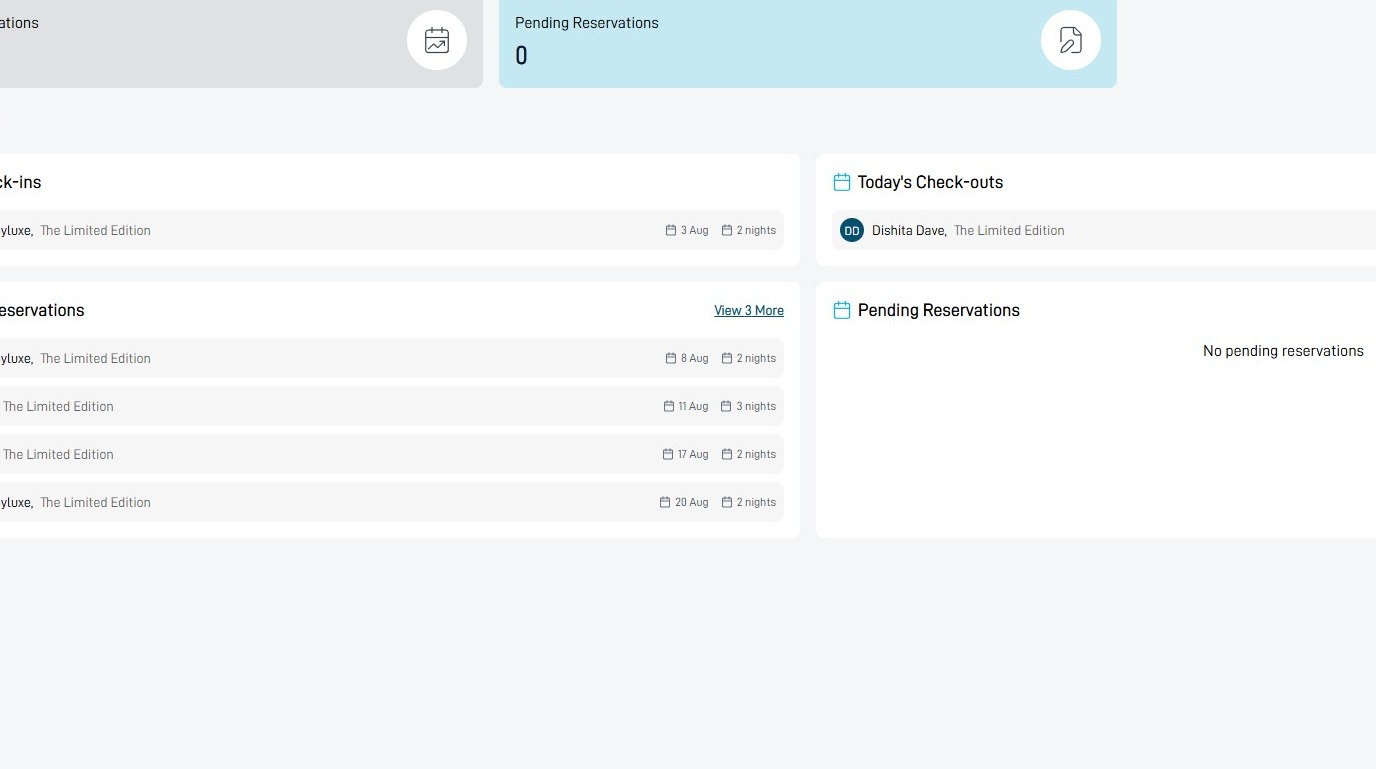
Property Management
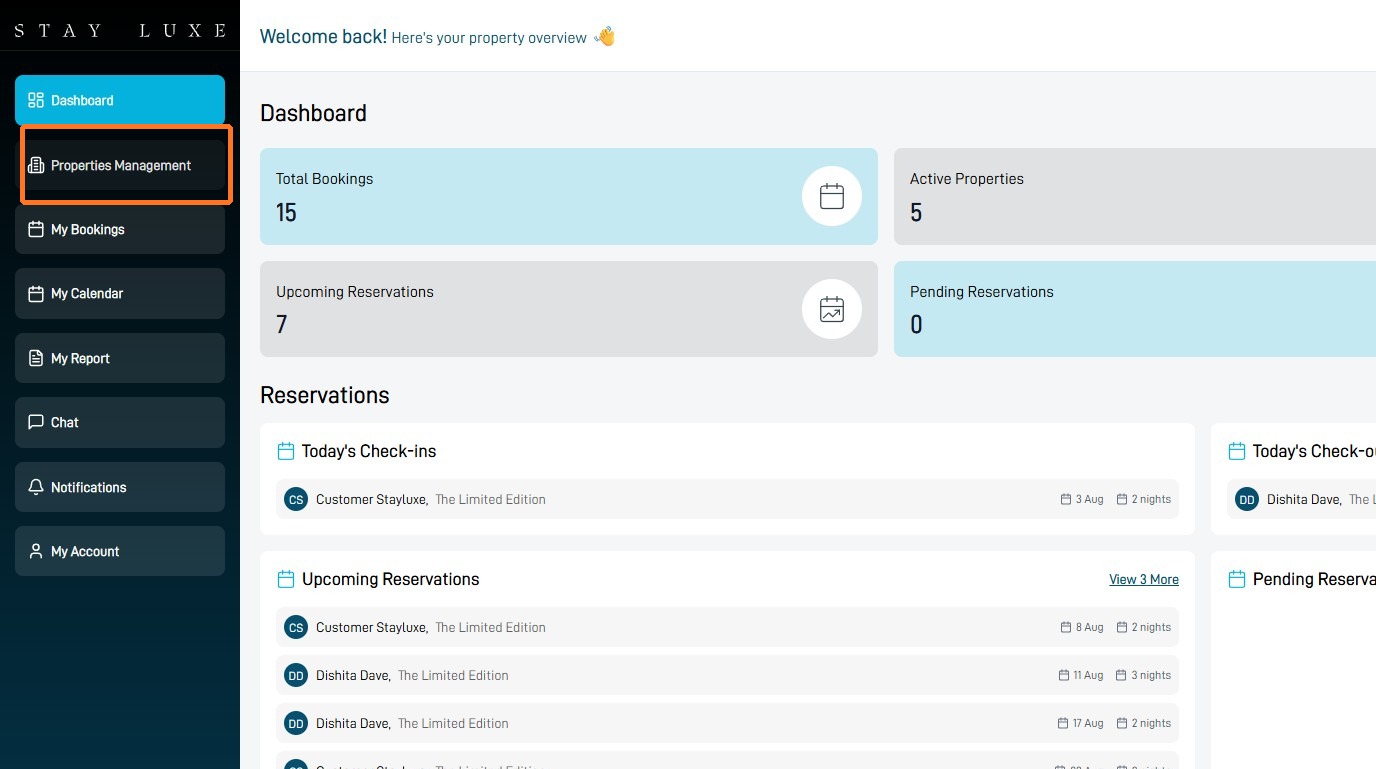
2 Select Properties Management.
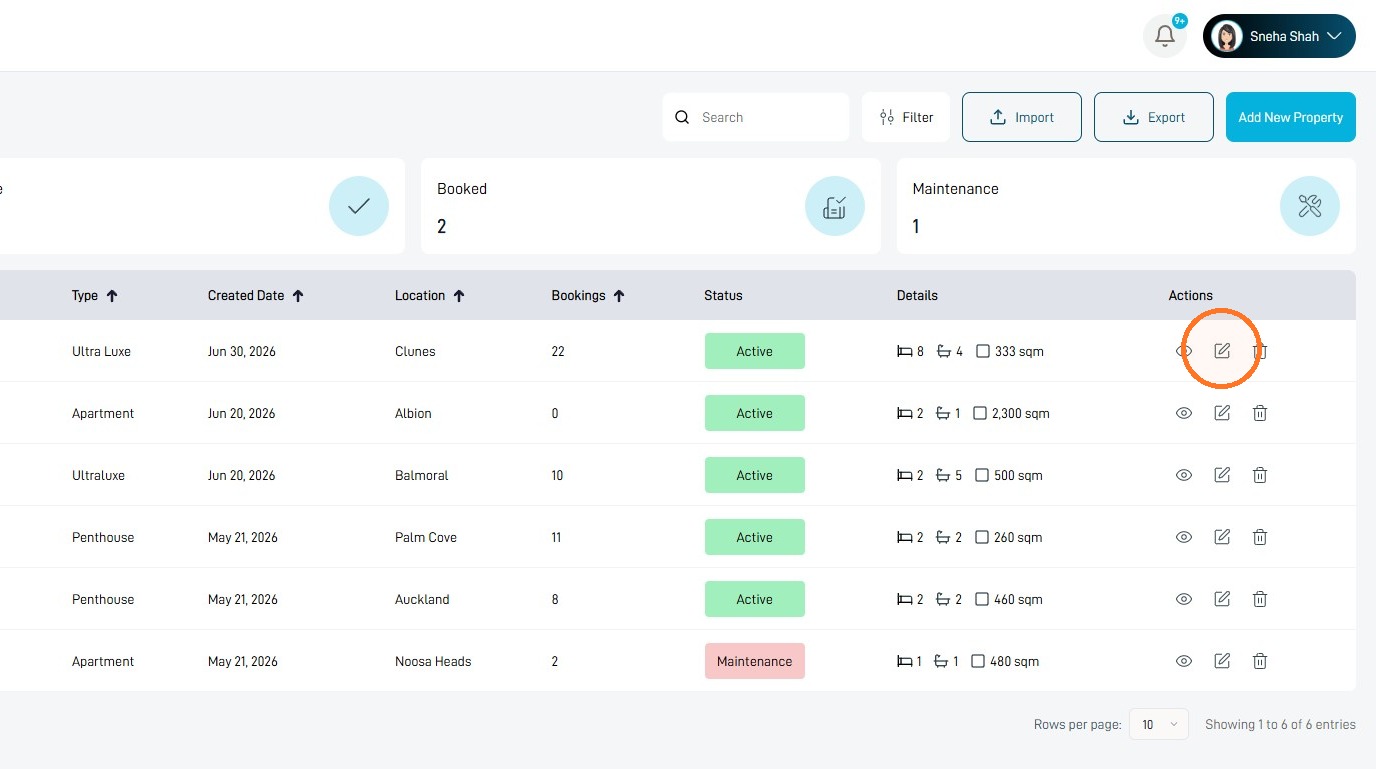
3 Select the edit icon beside the property you want to update.
Cancellation Policy
4 Choose your preferred Cancellation Policy.
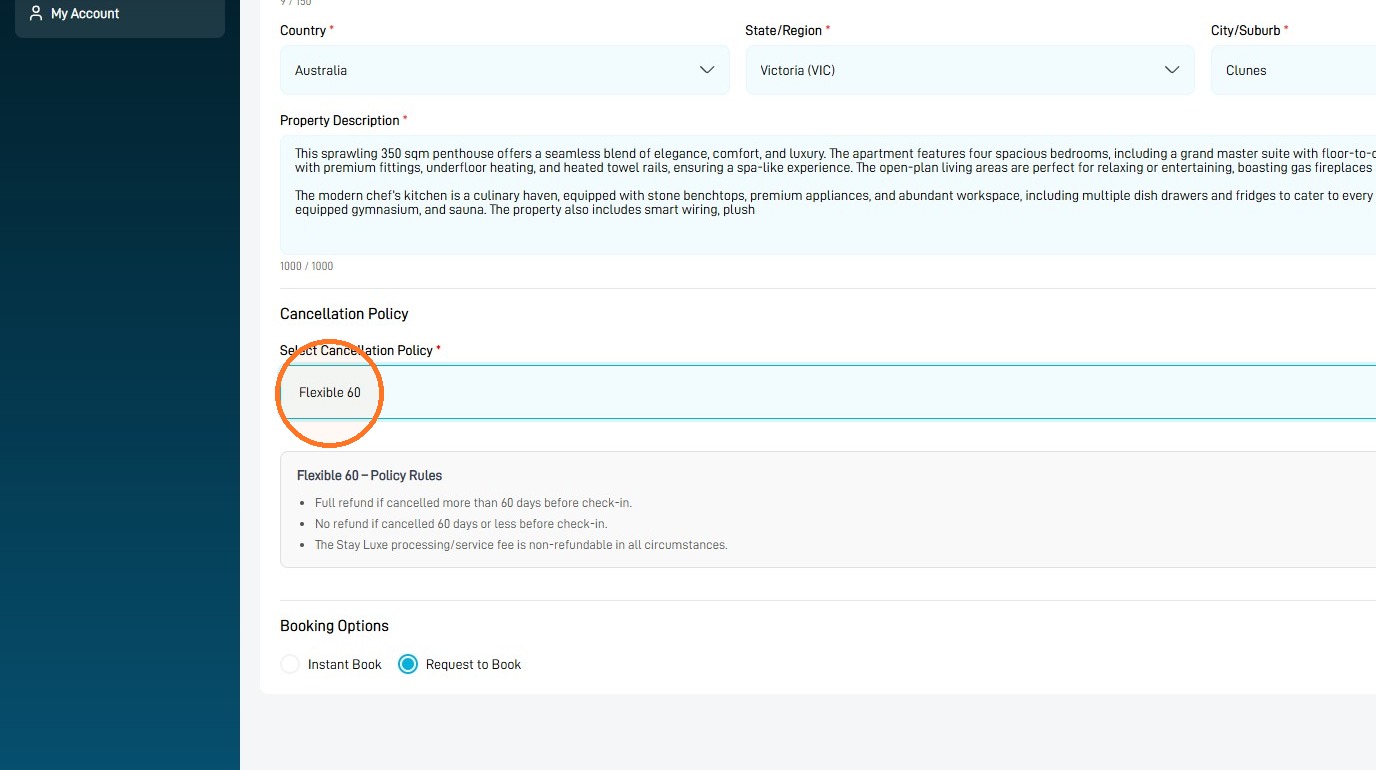
Review the policy terms carefully, as the selected policy will determine the cancellation and refund conditions for future bookings.
5 Select Save Changes to update the property.
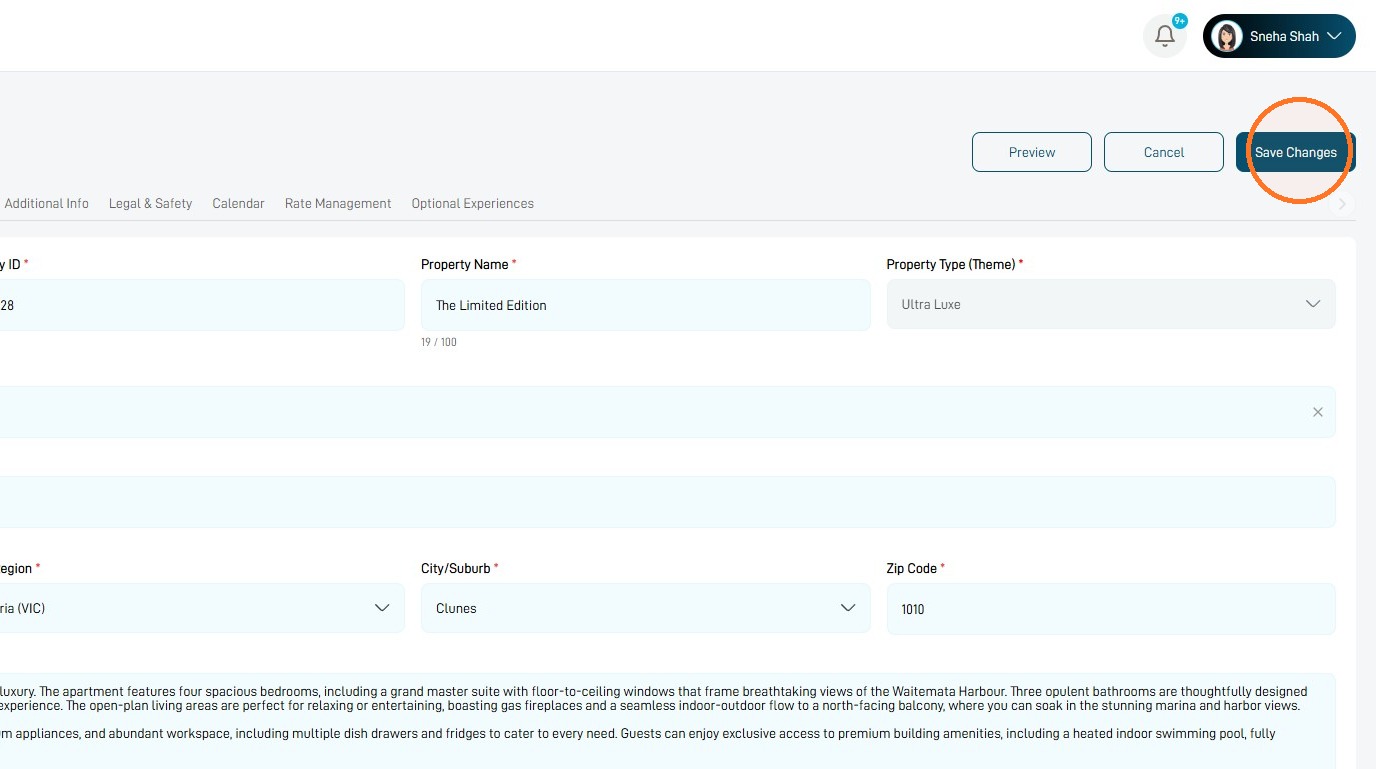
Your selected cancellation policy will apply after the changes have been saved.