




How do I message my guest?

1 Go to My Bookings in your StayLuxe host account.
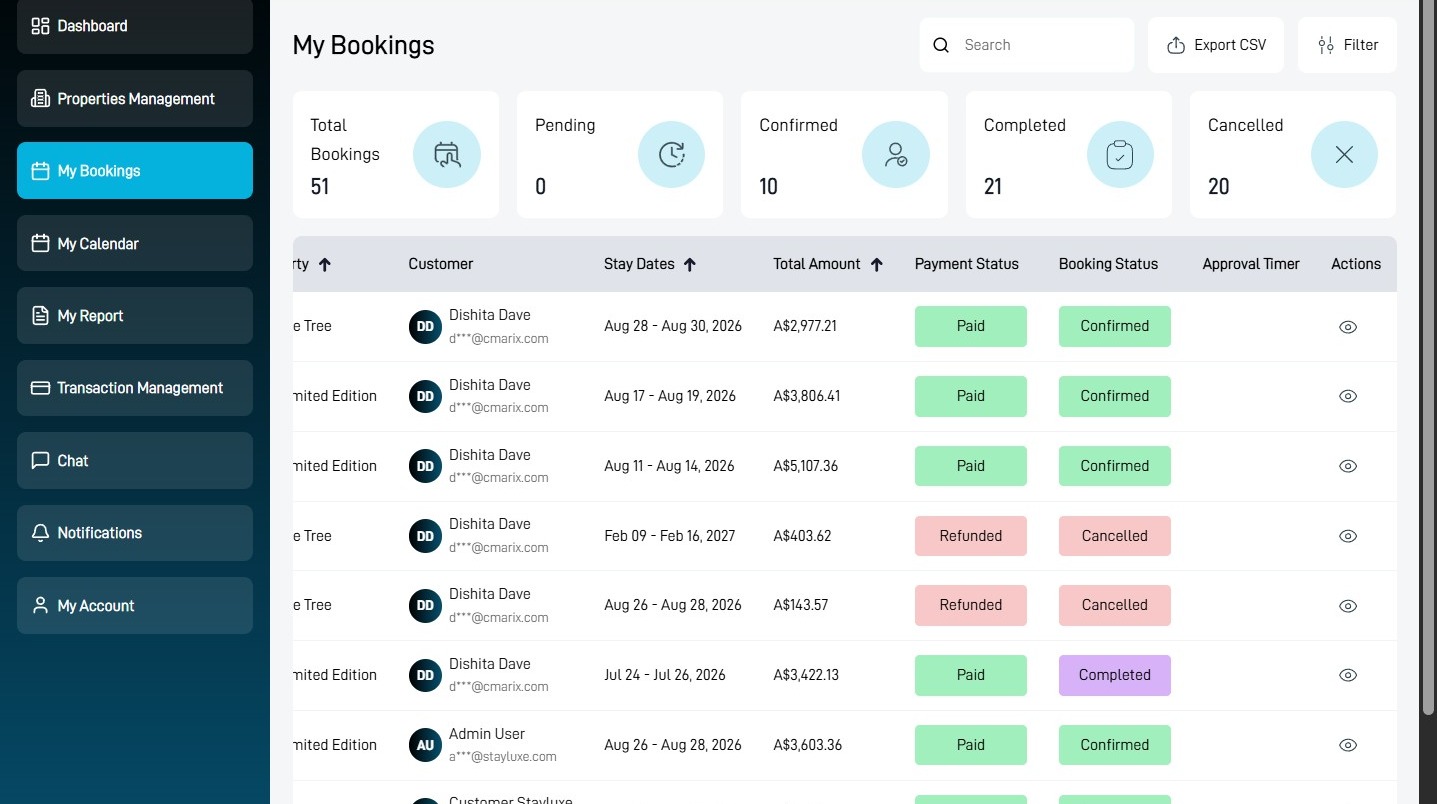
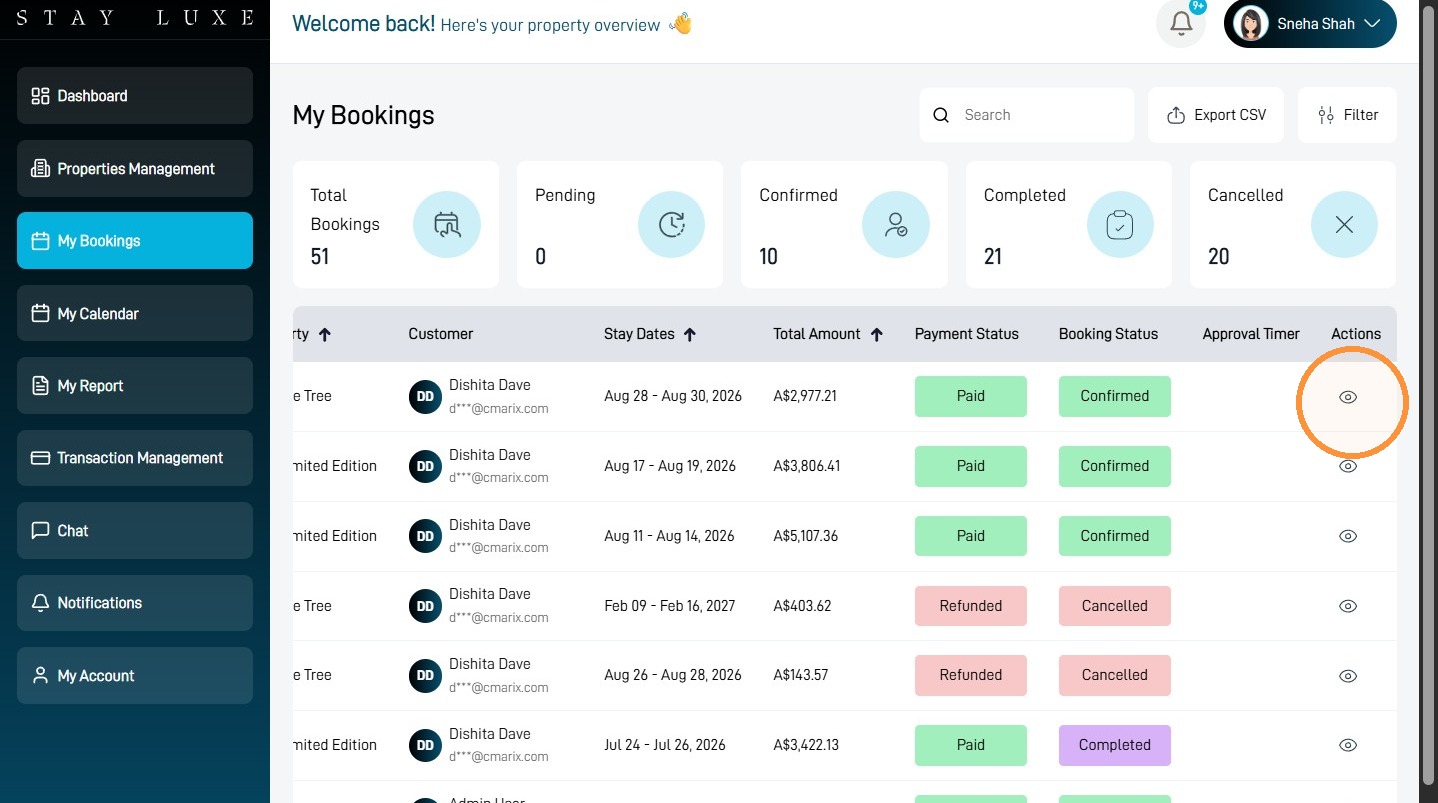
Open the Booking
2 Select the view icon beside the guest’s booking.
3 Select Message Guest.
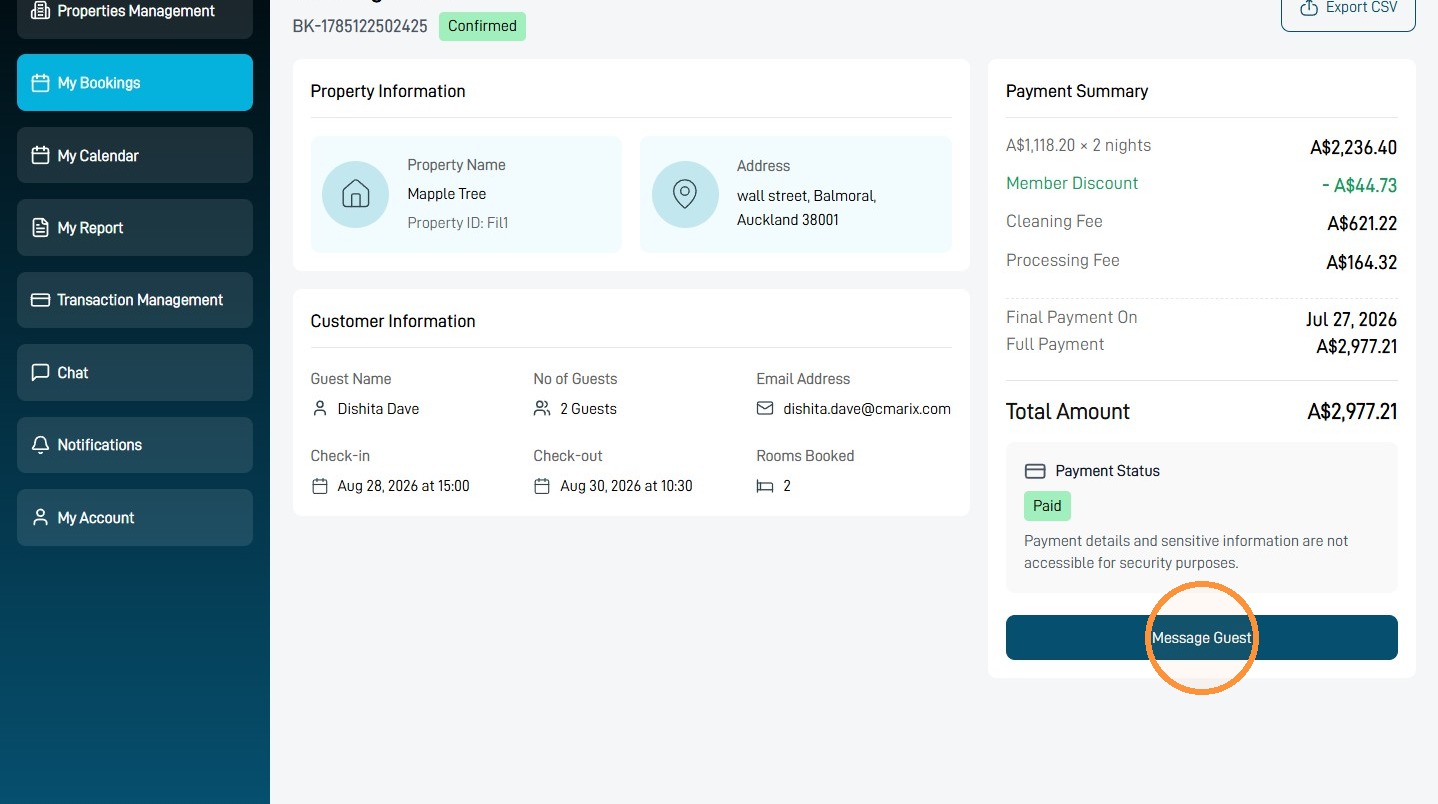
Send the Check-In Instructions
4 Select the Type a message… field.
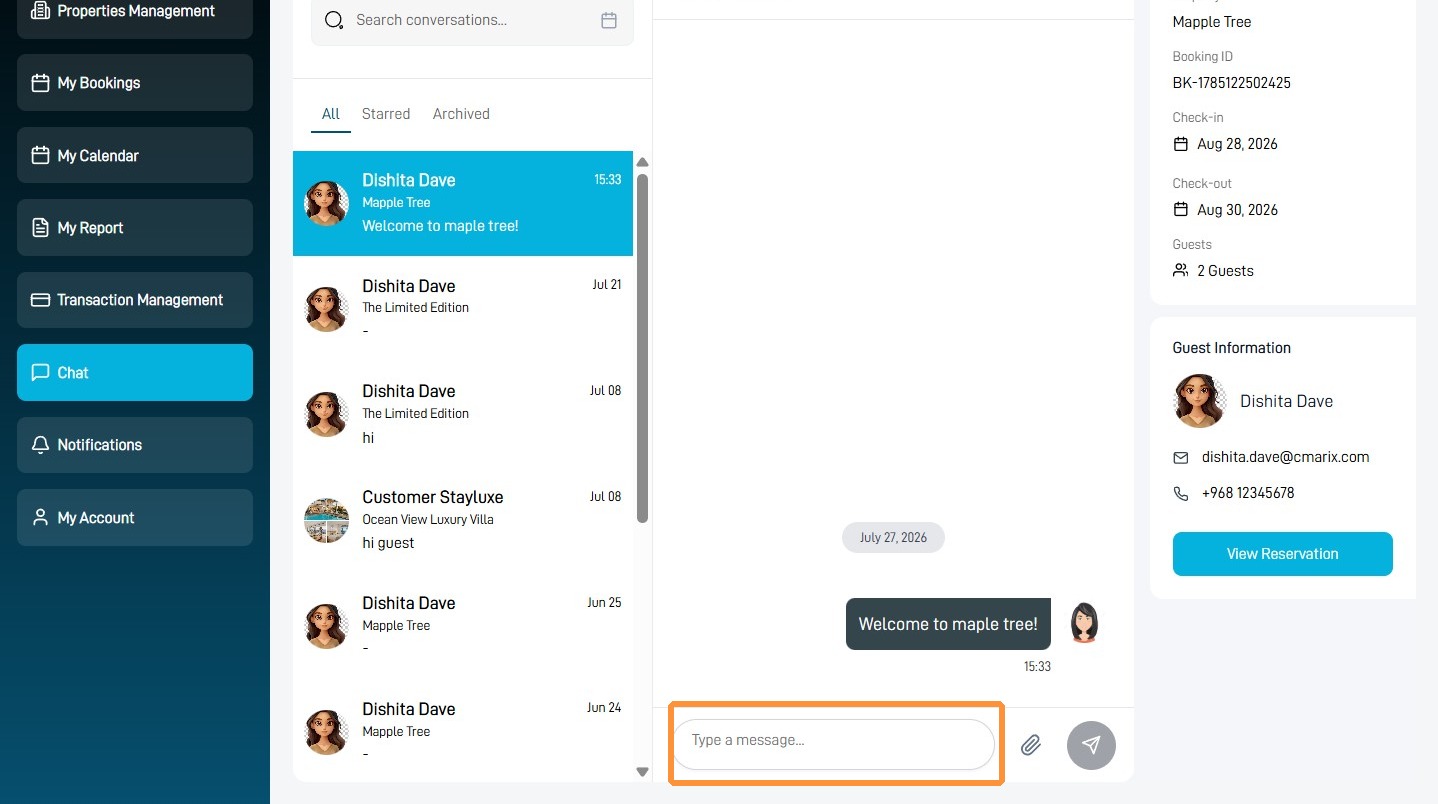
5 Type or paste the guest’s complete check-in instructions.
Check that the arrival time, property address, access instructions and contact details are correct before sending the message.
6 Select the send icon.
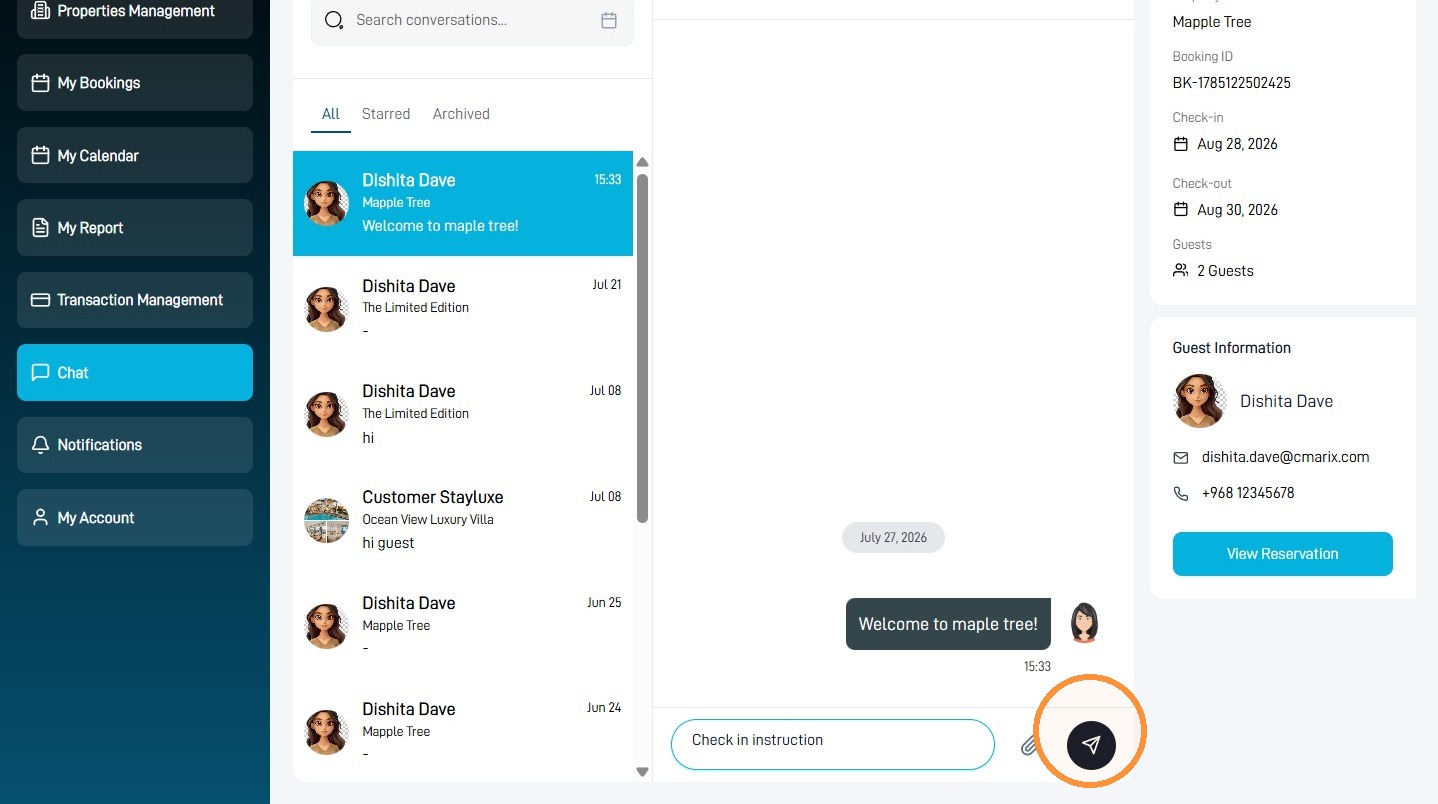
Your check-in instructions have now been sent to the guest through StayLuxe.