




How to export my iCal link from Airbnb

1 Go to your Airbnb hosting dashboard.
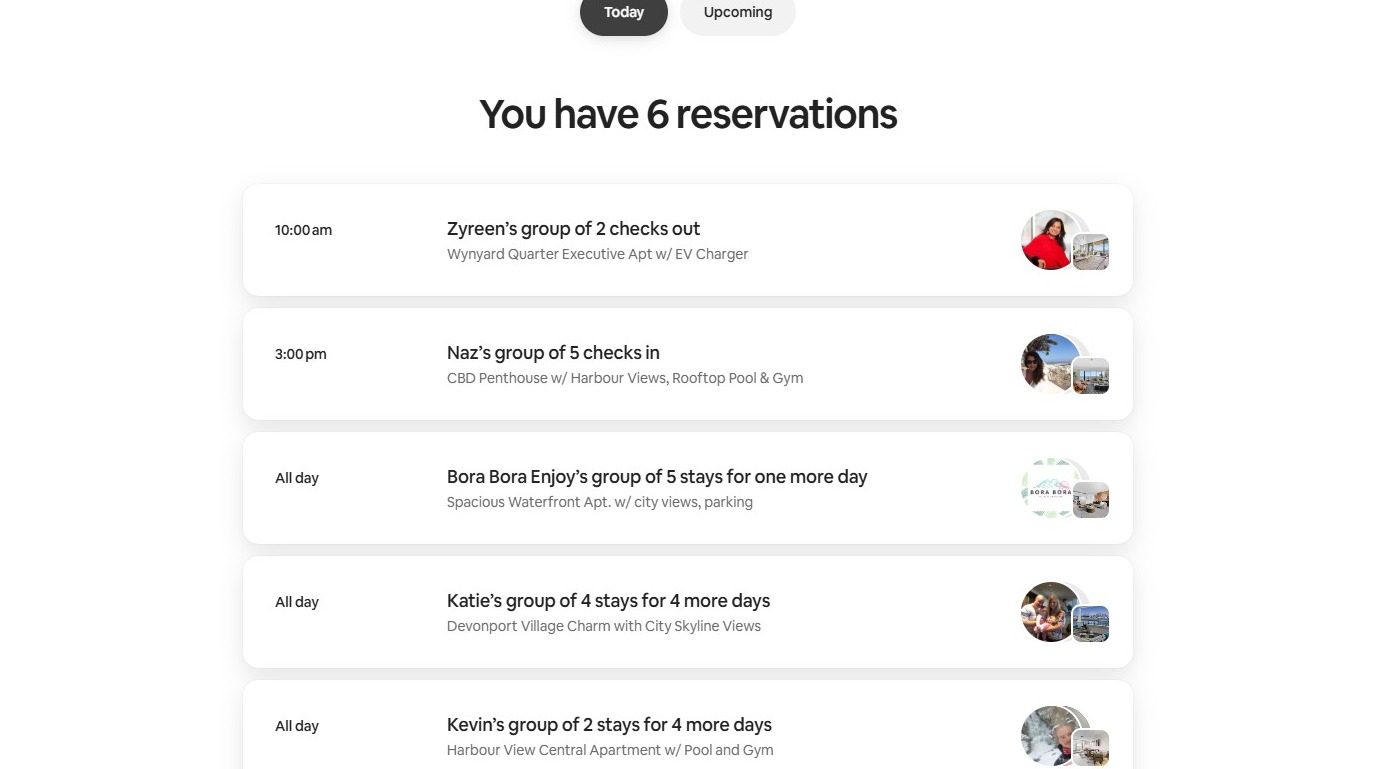
Open the Airbnb Calendar
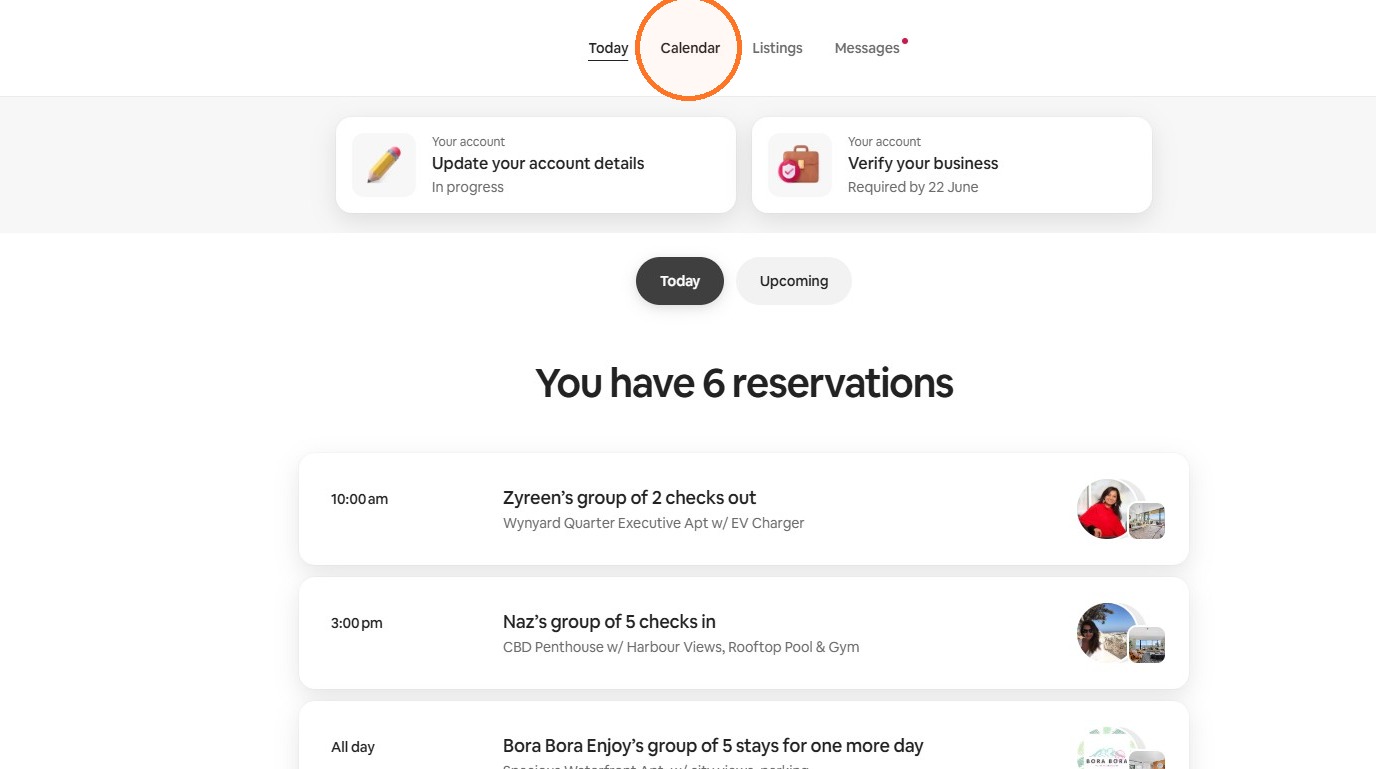
2 Select Calendar.
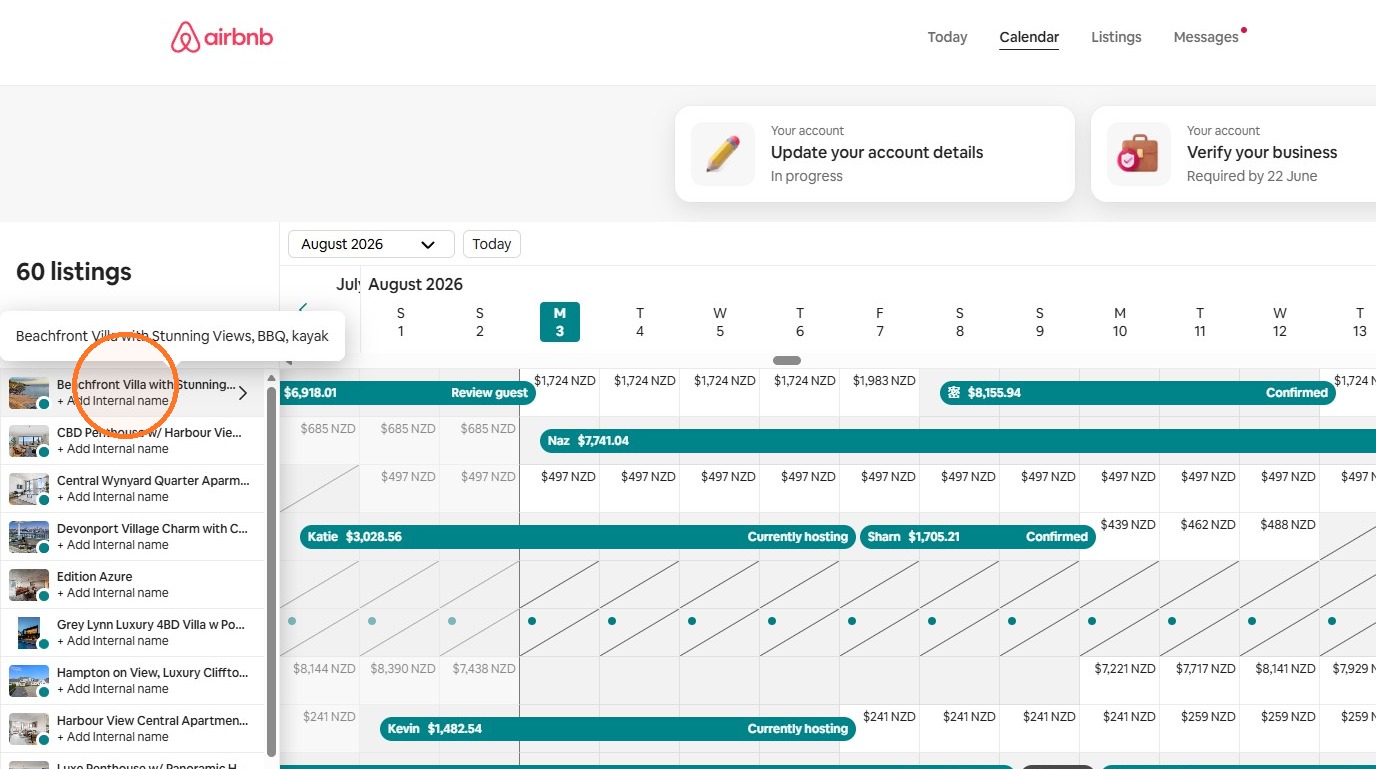
3 Choose the Airbnb listing whose iCal link you want to access.
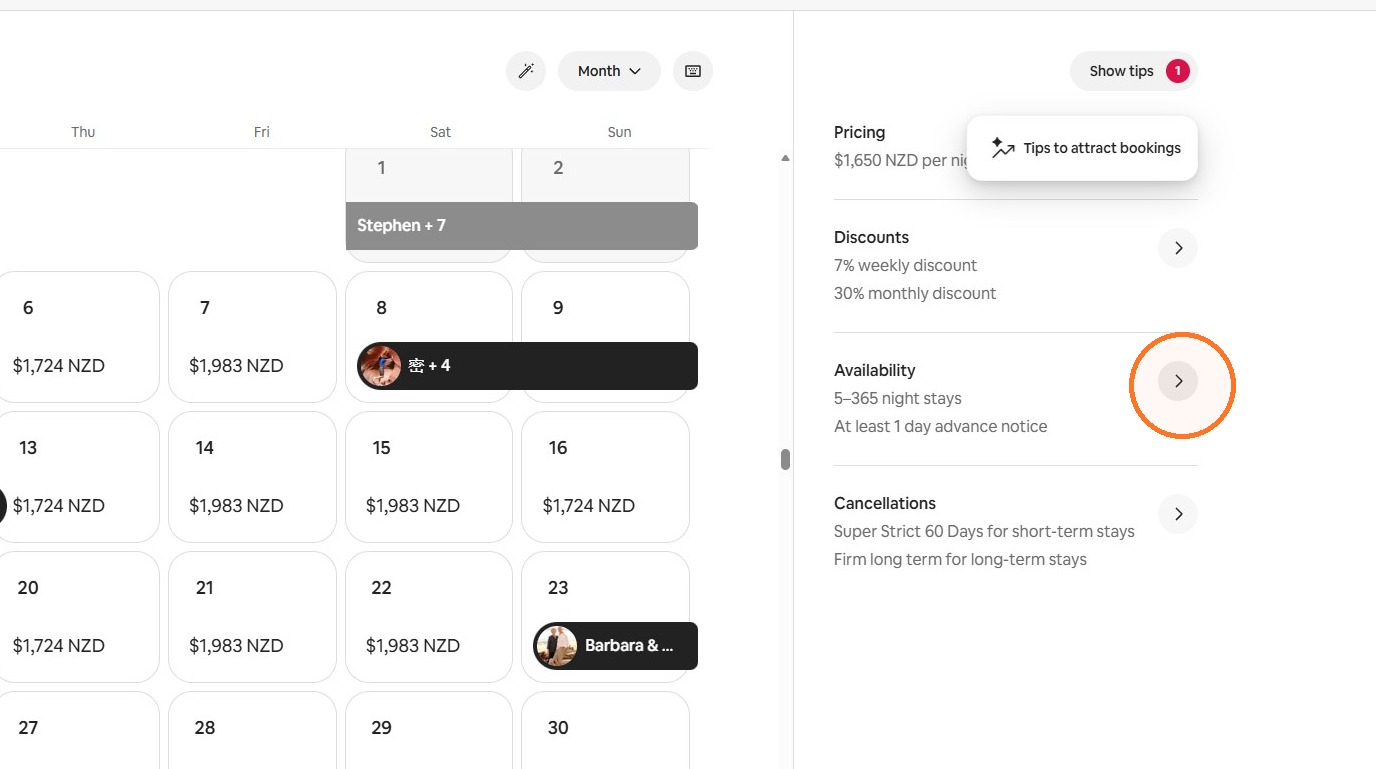
Open the Availability Settings
4 Select the edit icon beside Availability.
5 Select Connect to another website.
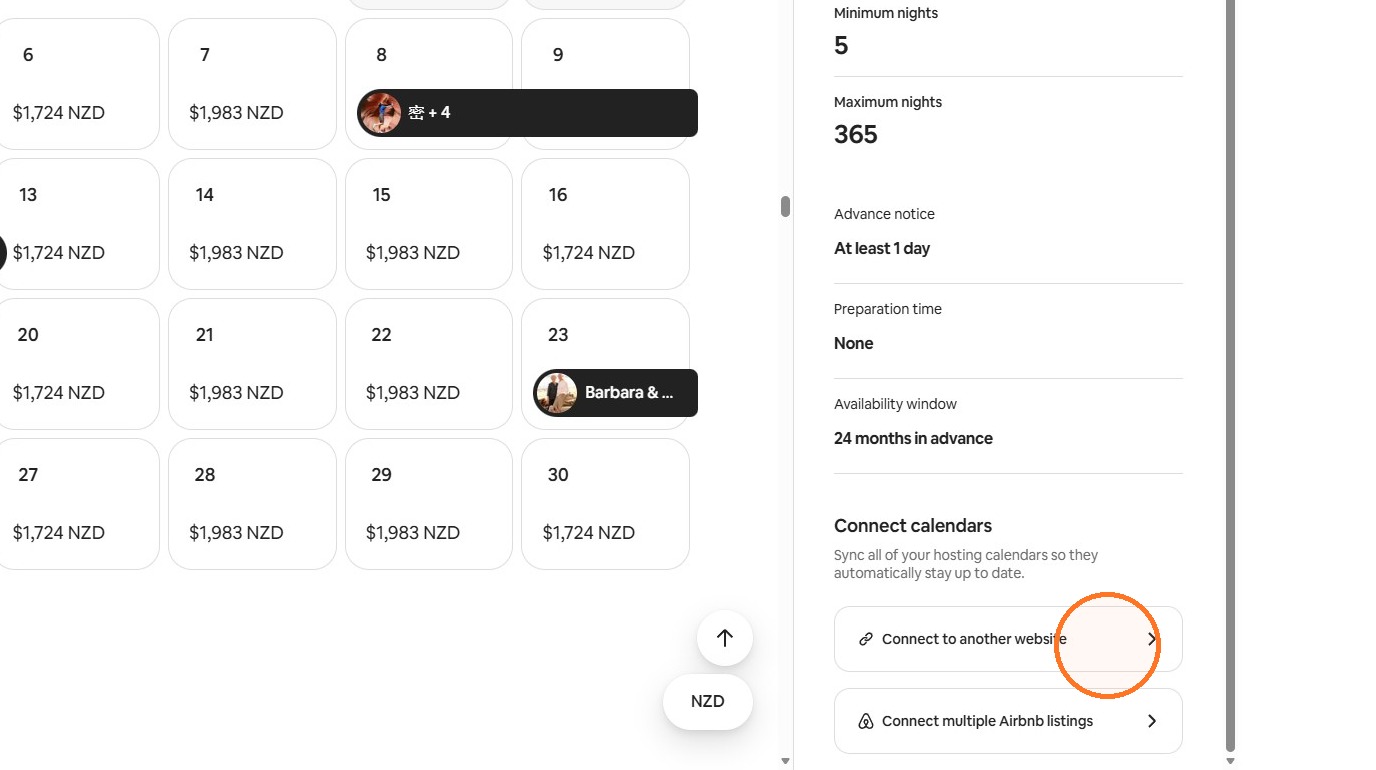
Export the Airbnb iCal URL
6 Select Copy beside your Airbnb calendar URL.
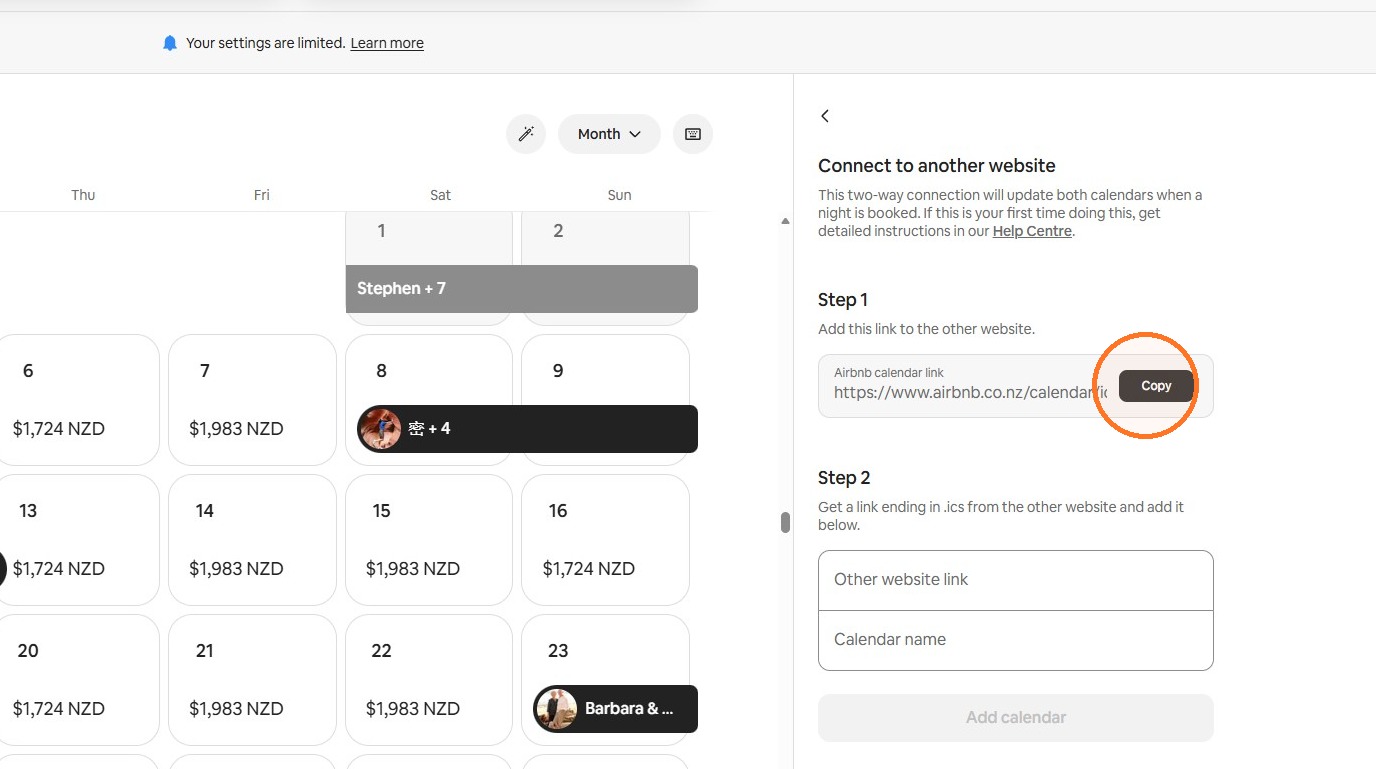
You can paste this Airbnb iCal URL into StayLuxe or another external booking platform.
Import the StayLuxe Calendar into Airbnb
7 Paste your StayLuxe calendar URL into the Other website link field.
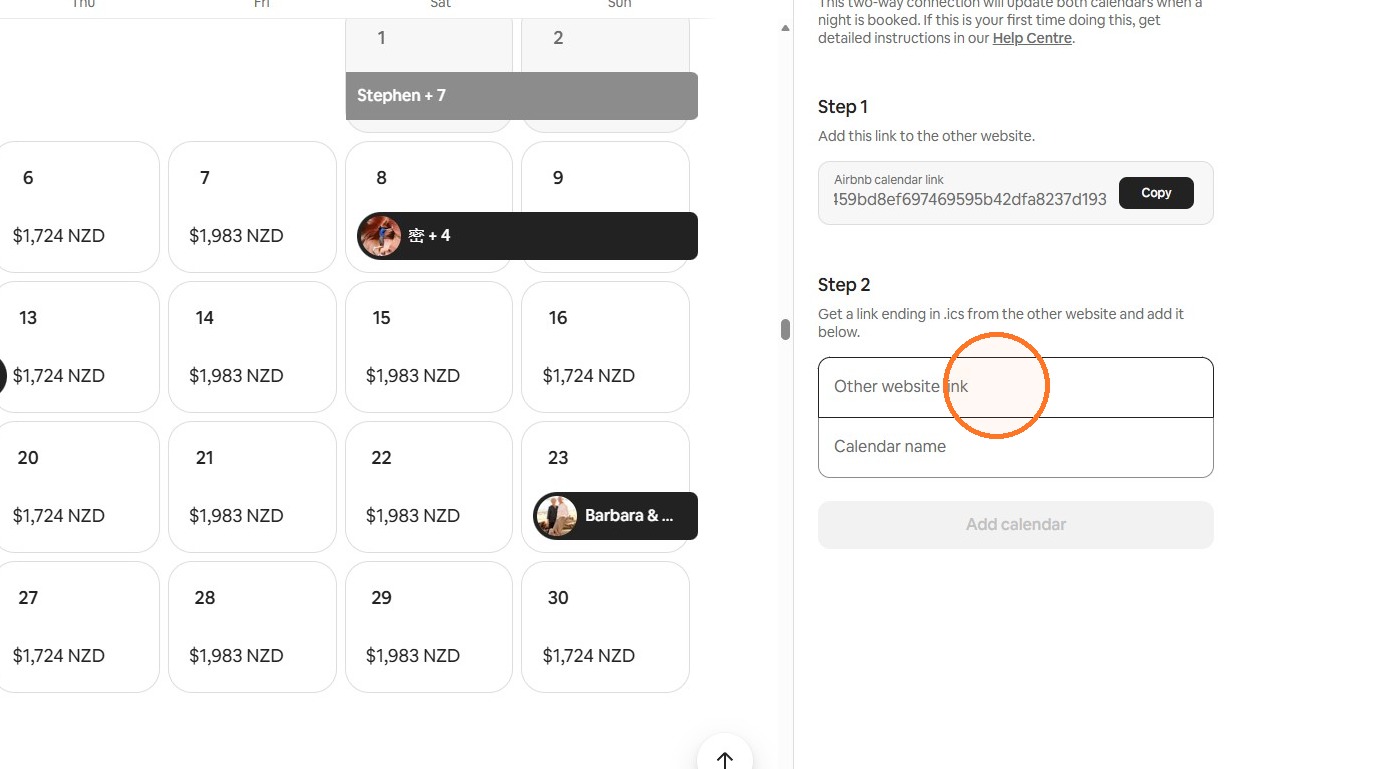
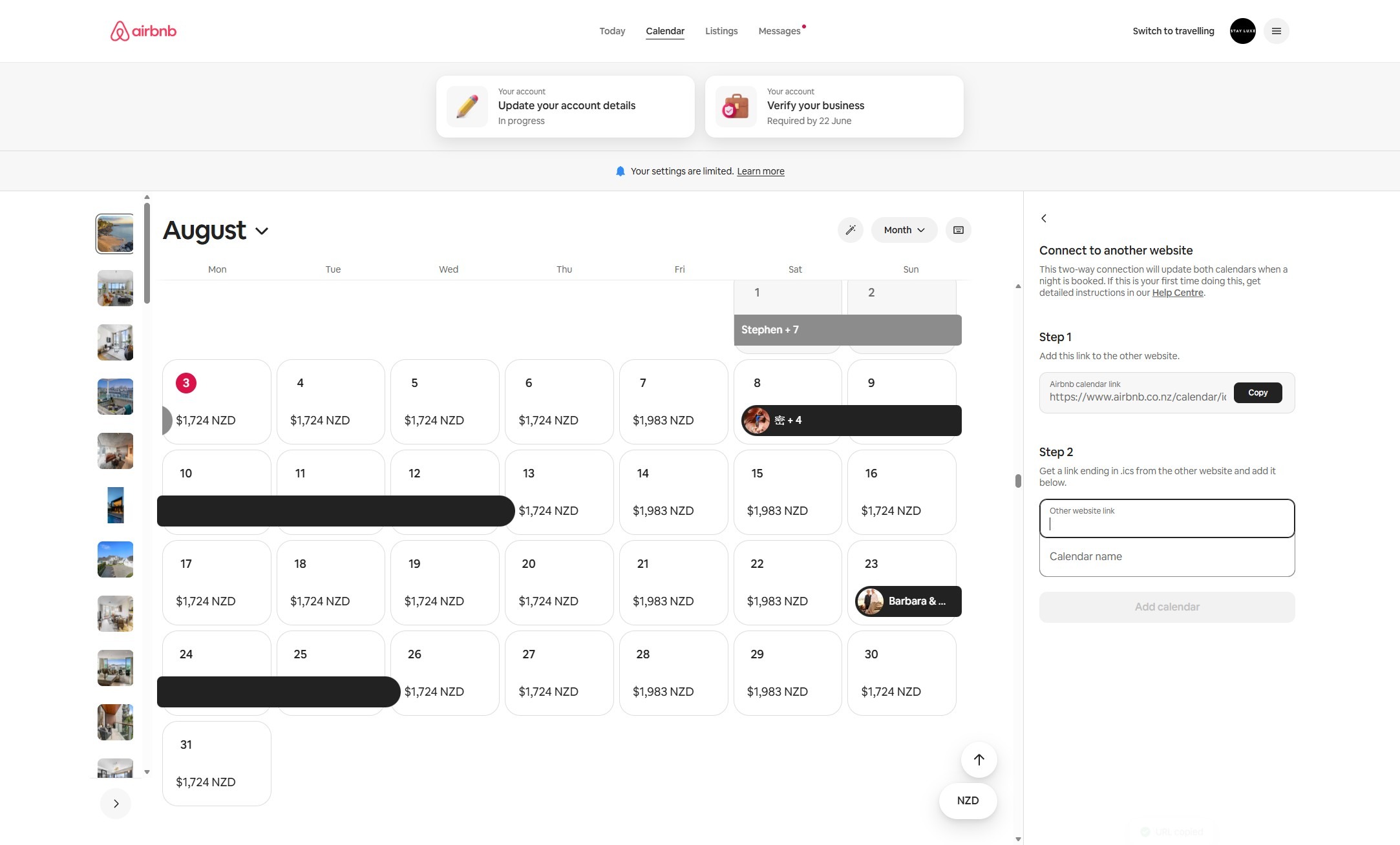
8 Enter StayLuxe in the Calendar name field.
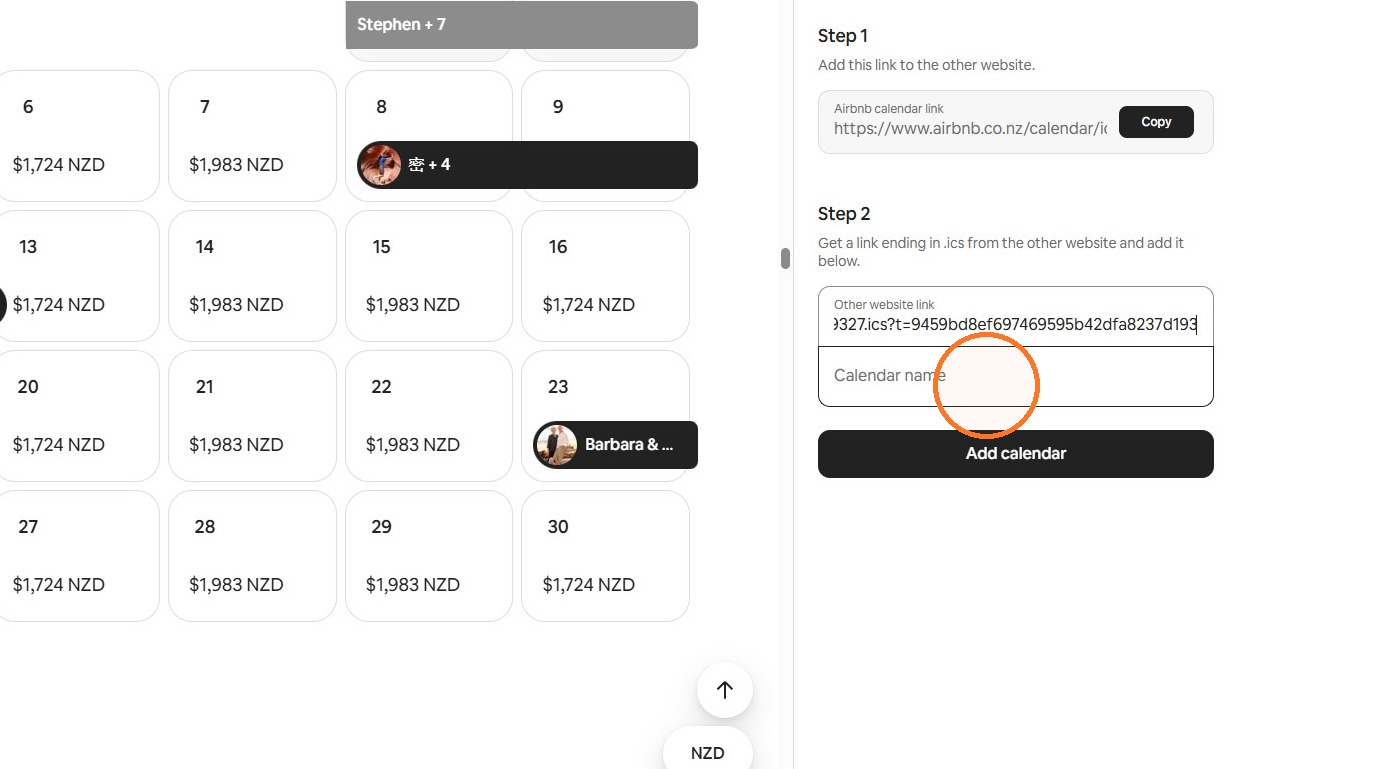
9 Select Add calendar.
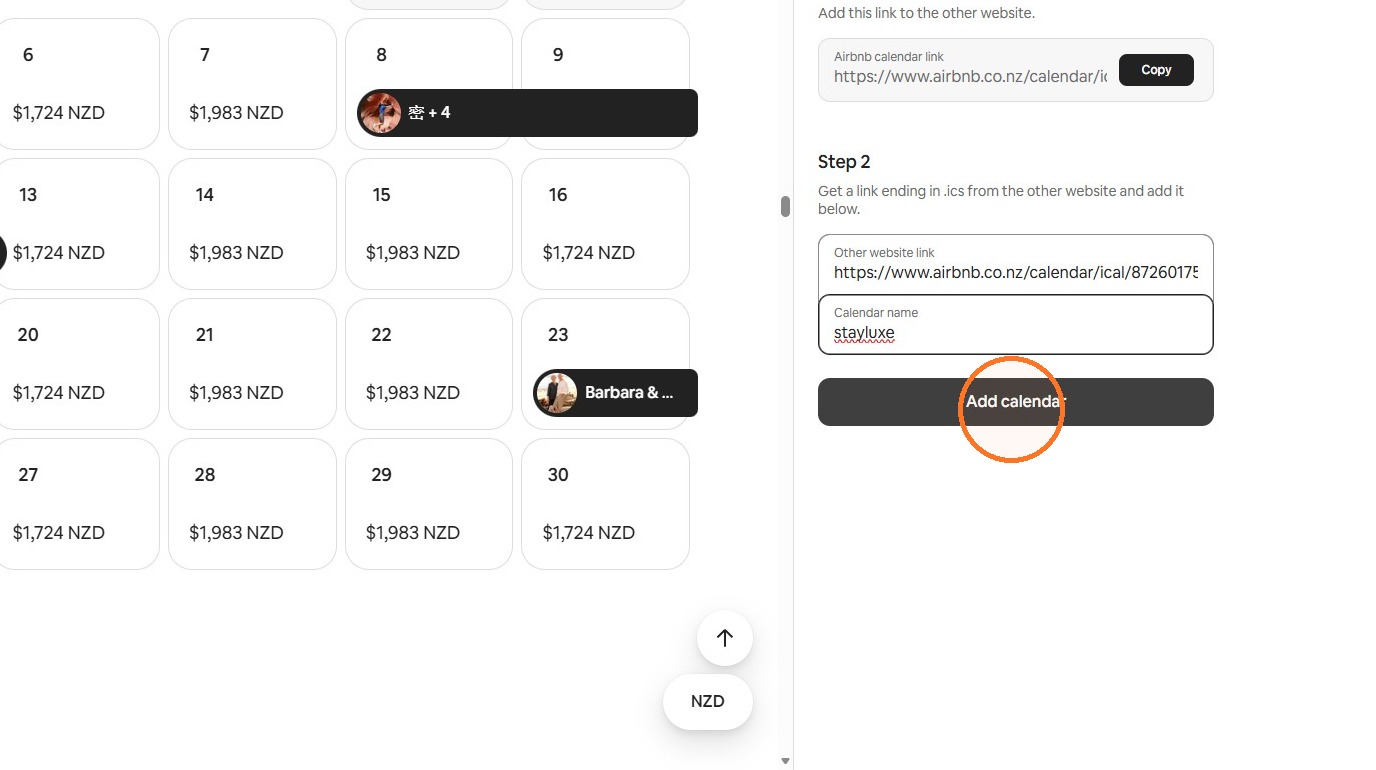
Your StayLuxe calendar is now connected to Airbnb. Airbnb will periodically refresh the imported availability.